Hello - after updating Roon to the latest this AM, I no longer see the Oladra as an audio zone. I have rebooted the server in the software and physically numerous times. I have changed the Player from Roon with Squeeze to Roon only. Nothing
Curious if any other Antipodes/Oladra owners are seeing this. Thank you
Do you still have an issue?
Roon latest update running on OLADRA 1 here, all is well.
When you mean Zone, do you mean that you can launch Roon, and it is logged into the OLADRA, check, as sometimes we have found clients log into another Roon instance running on a PC, and you have no Roon Ready Output?
Check the Audio Output in the AMS Dashboard is set correctly. Reboot the DAC.
By Zone I mean Endpoint. After yesterday’s Roon update I can see every other Endpoint in my system and stream successfully to it. However the Oladra is not there (on MAC, iPad & iPhone Remotes). I only have one instance of Roon Server running (Oladra)
Nothing was changed in the Oladra settings. Running Squeeze Player with Roon Server and Enable Squeeze Support active in Roon (I have also tried Roon Player only)
I have rebooted Roon Server and the DAC physically 4 times
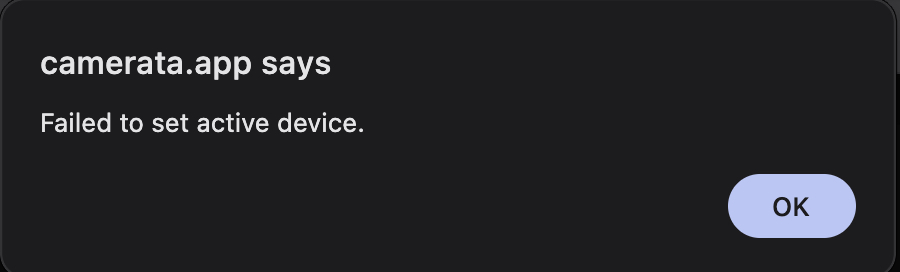
Note: I did notice this message in Camerata when clicking Assistance
Today I tried switching to Roon only again and rebooted the Player in the Antipodes software. And this time the Oladra became visible as an endpoint in Roon. Going back to Squeeze Player with Roon Server (and rebooting) it disappears again.
Sure seems like the recent Roon update broke the ability to find the Oladra running Squeeze/Roon Player.
Has anyone verified this with the latest update? Thank you
Had my call with Prince on Monday. It seems to be a bios issue but I have no idea why a Roon update would cause it. Prince also suggests the Analog option should not be in my drop down (it has been there since I bought it from a dealer)?
From Prince:
The device bios has the analog audio re-enabled on the motherboard (something that is disabled by default since there is no analog audio output on the device) but due to this the audio outputs on the device are offset by 1 causing issues.
The device is currently set to Digital output but the user switches between Digital and USB. The only way to remove analog audio is to reset it on the bios which cannot be performed by the user.
We would also need to investigate what caused the device to have analog audio enabled in the first place.
As of now Prince hard coded the Oladra to use AES only (my current preference), but I no longer can use USB. So at some point I have to send this unit in
I will need to know the process. Assuming it will go to Colorodo/USA
Again I would like to understand what could have caused this issue. Nothing changed until that Roon update. And once updated I no longer saw the Oladra using the Squeeze option. I did multiple restarts both in the software/physically at the Oladra. Could any of that had caused it? Could selecting Analog cause it?
We have seen the odd instance of a Roon update gone rouge, heavy installation spike causing a board reset, not saying that is the case here, but have seen it happen.
We need to get the unit to service to rectify the USB issue, in the process of that all aspects of the unit will be fully checked and tested.