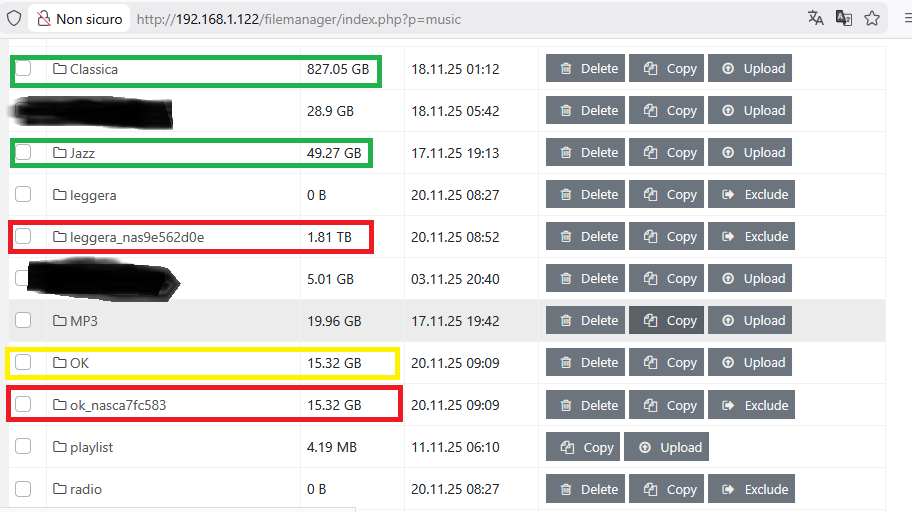
I have a K50 on review, version AMS 5.0.1: I ask for clarification in the description of connections to the NAS via SMB.
-
- the connection via SMB works perfectly, copying files using the “Upload” command also works
-
-
- My test setup is attached
-
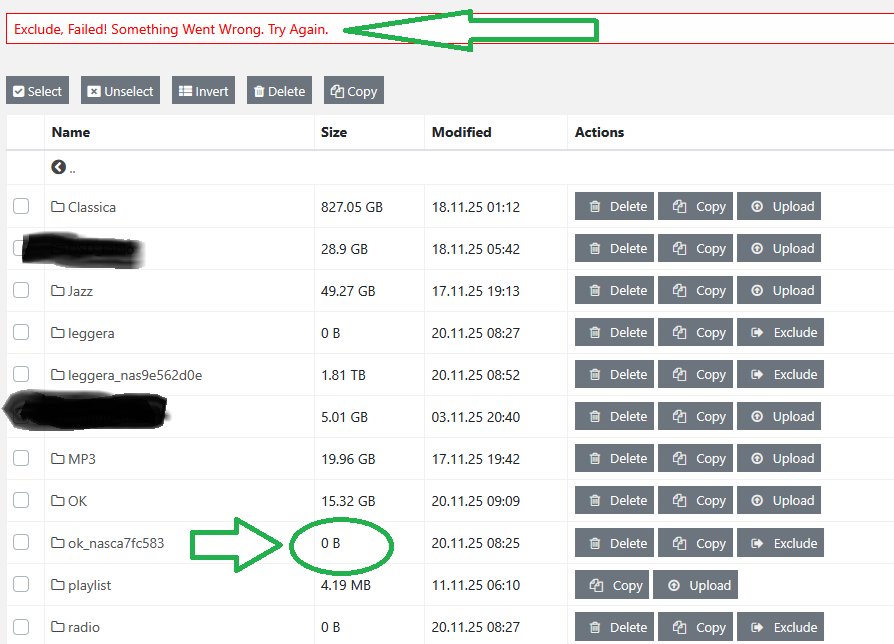
- if I try to delete the connection via SMB I get an error message: but the size of the folder is reset, see image !
Obviously if I calculate the folder… it is also deleted from the NAS!
-
- Does the folder structure apply to all combinations? Now I’m trying Roon - Roon, when I switch to Squeeze - Squeeze will it stay the same?
-
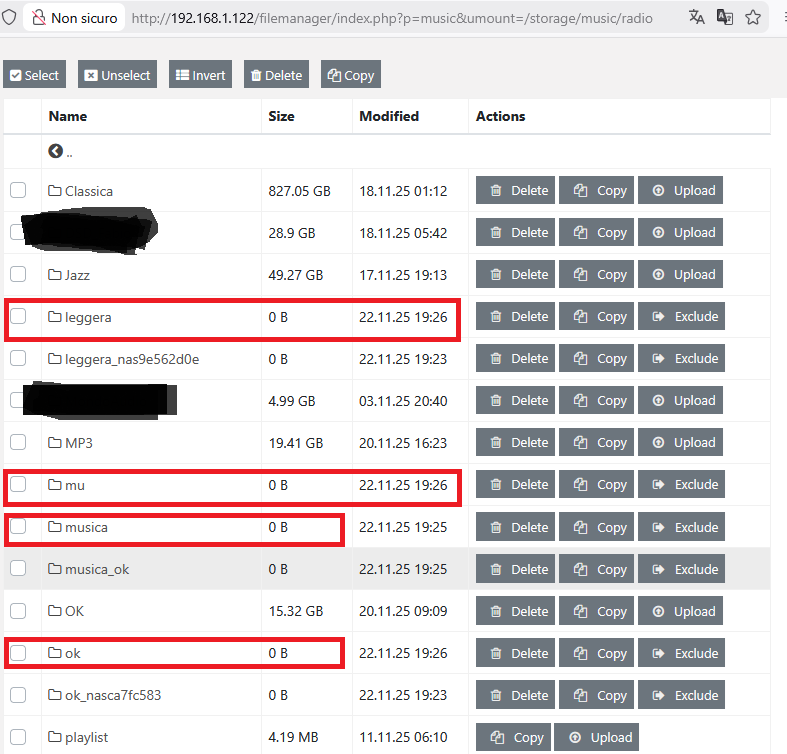
- I get folders created for testing and already deleted with the “Delete” command: why?
Sorry for my bad English I’m using Google Translate…
The same storage is seen by all apps.
I have found that AMS can sometimes refuse to let go after a volume is excluded. I suspect that an app might be accessing it when that happens. Rebooting the Antipodes will solve this.
Not sure I understand that question. I would just recommend being very careful with clicking delete for a volume that has been included. I actually created a separate account that my Antipodes can use to access my NAS. That account has only read permissions to my music folders.
Put K50 on standby, turned off with rear switch, turned on… Nothing to do !! same message
Look at the highlighted folders: it’s all evidence… already deleted with the Delete command… but !! continue to appear
If I try to turn off the NAS? What’s going on?
Good idea !!! Thank you. It would be good to add this indication to the instructions for creating SMB connections 
I proceed like this and then I’ll let you know… but first I have to find a way to delete the current connections to the NAS !!
I experienced this at one time and it took a while for me to figure out how to clean it up. Unfortunately I don’t recall how I did it. You may need to set up a support session so Antipodes can hopefully reset this.
I just remembered something. Can you connect to your storage folder using either a Mac or PC? I think you can clean up some remnants that way. Power down your NAS though as you don’t want anything you delete off Antipodes storage to delete stuff off your NAS. Be very careful.
I think I have found the solution. Given that I connect with a PC with win11 and the solution is very simple: use the “Exclude All” command which is at the top right of the File Manager window… After Exclude All I selected the folders and then Delete… Warning: report to Antipodes because it is probably a Bug !!
Thank you Kennyb123 …
Now I’m going to try other combinations! The first one for me is MinimServer+MPD: I have the MinimServer license and also the BubbleUPnP license
1 Like