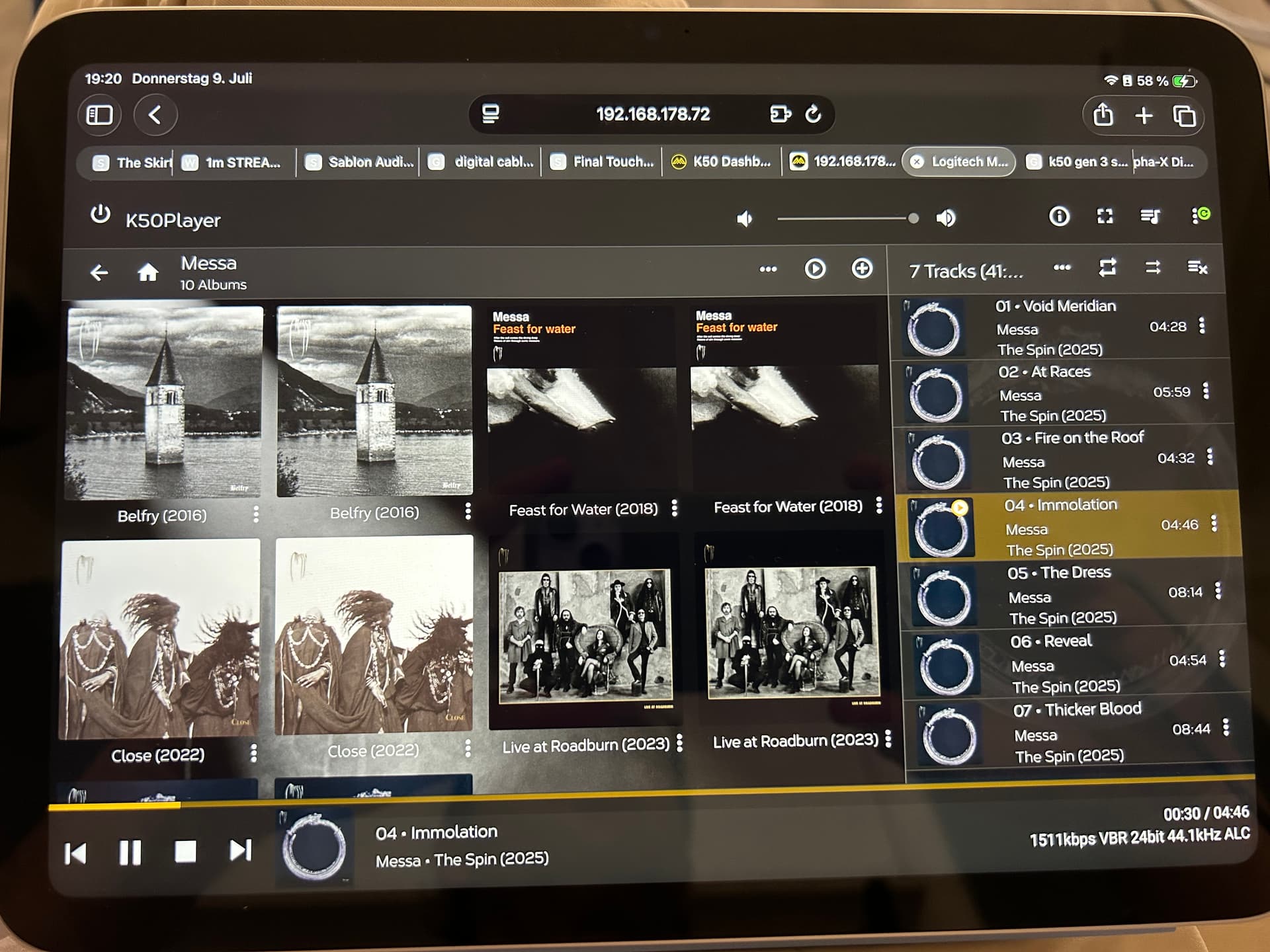
Hi, have Antipodes K50 (squeeze/squeeze), use it with iPeng (on iPhone and iPad), files on NAS… at the beginning everything alright, one day every file, every album appeared doubled in iPeng … I don’t know why…but what I found in the details, the name of the path is not identical… one song has the right name, and the doubled version has some weired letters in the middle of the correct name…don’t know why, don’t know how to fix…
Uli
If you open the web interface of Squeeze do you see the same?
From a previous thread regarding ipeng…
If you notice that the data in iPeng is out of sync with your server’s database, please go to iPeng Settings and press the big, red button called Flush Cache. iPeng will then re-read all cached data from the server.
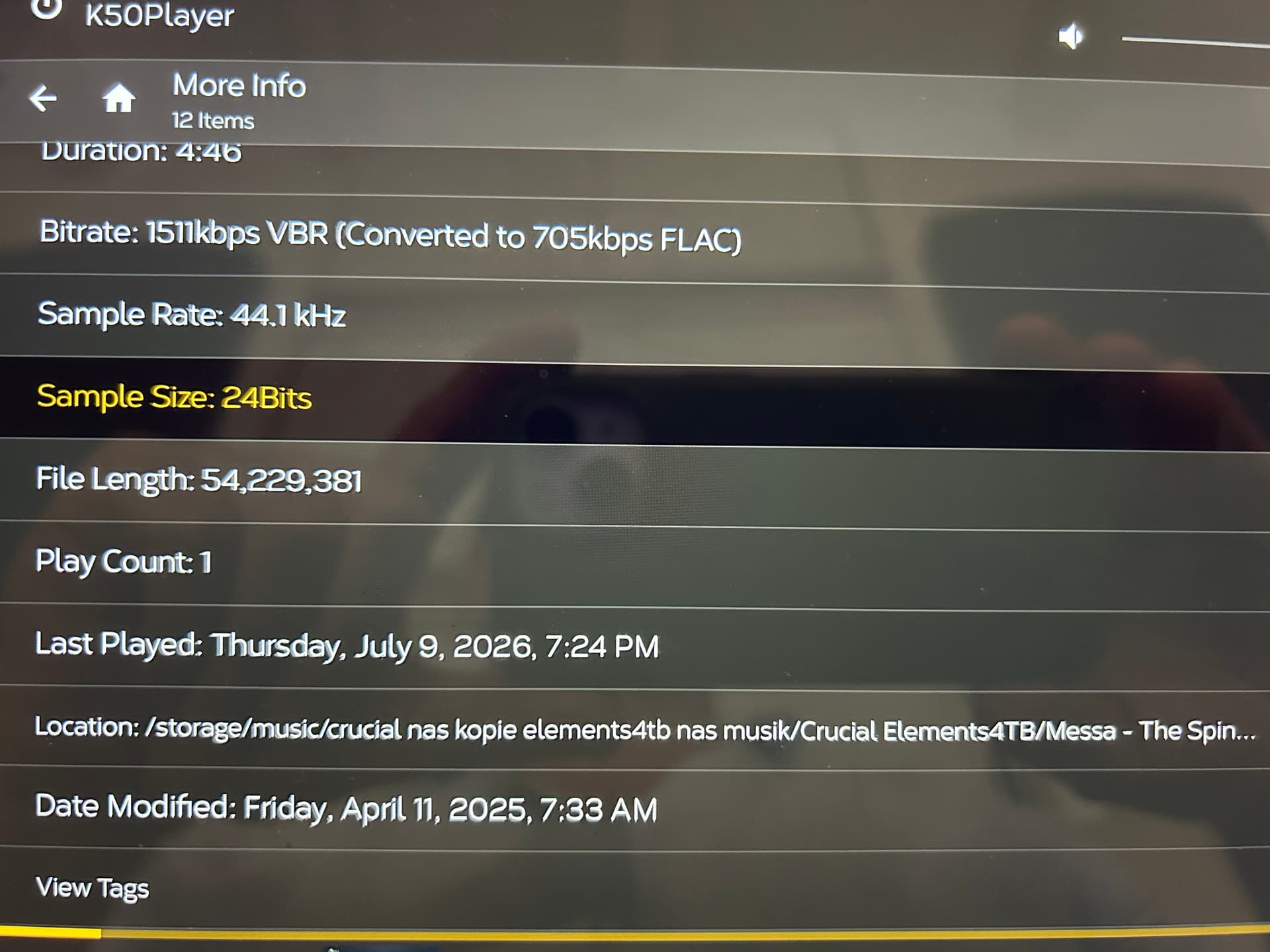
Yes, I see the same, everything doubled, see screenshots, and look at „Location“: can you see the difference in the name of the path of the file? I have marked. Don‘t know why…
Thanks
Uli
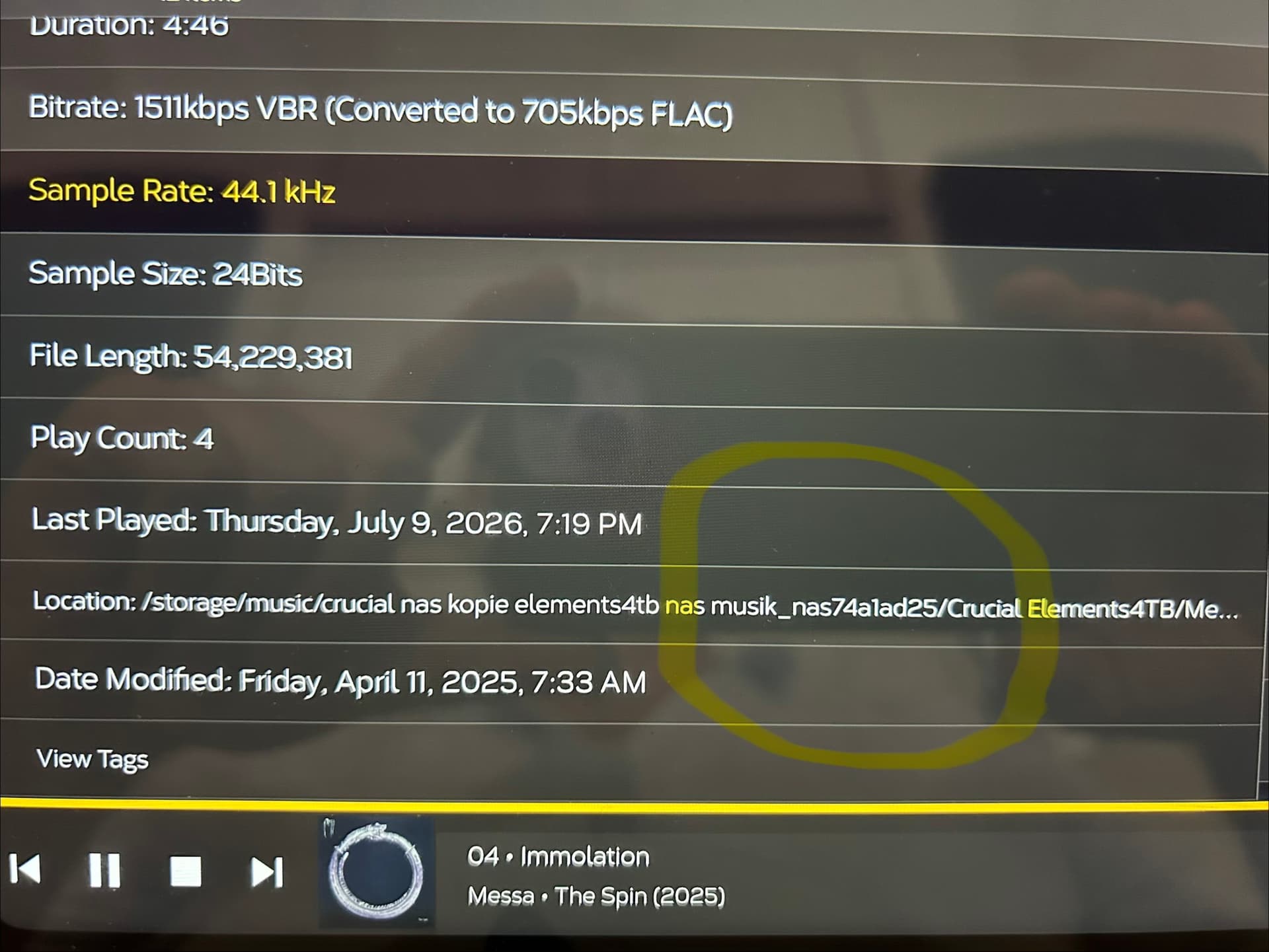
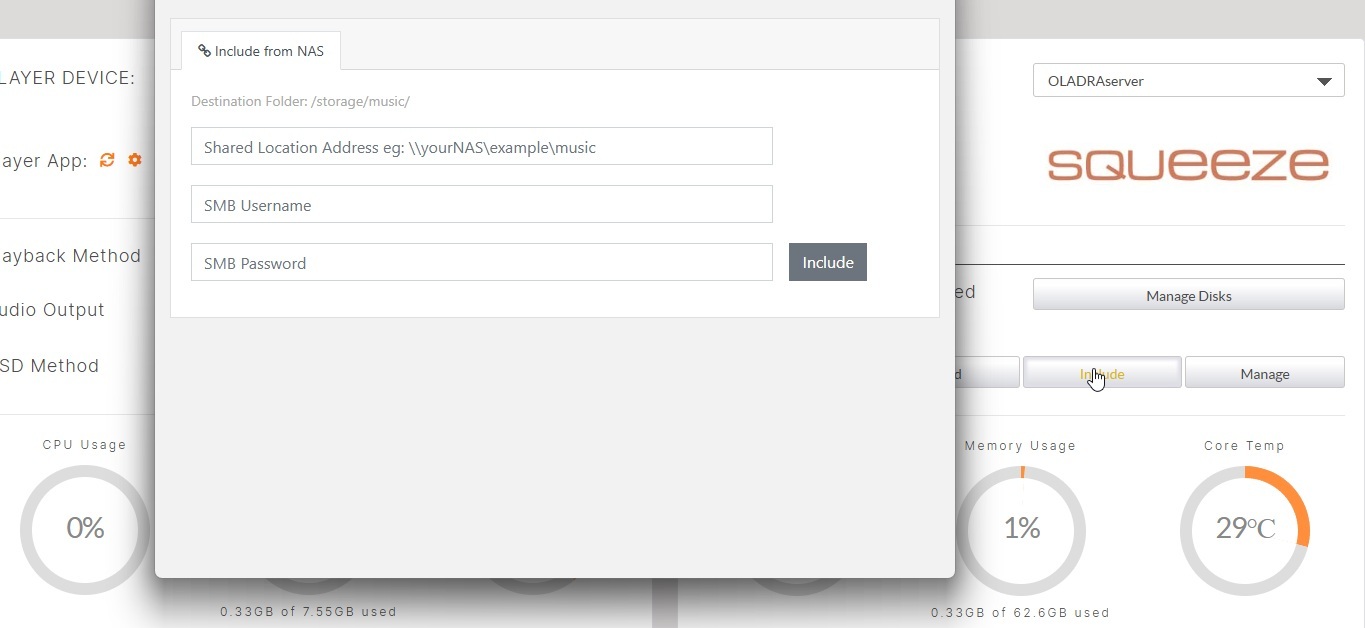
This looks like the network share set via Include and visible in Manage in the dashboard has been set incorrectly.
Now everything appears three times ….
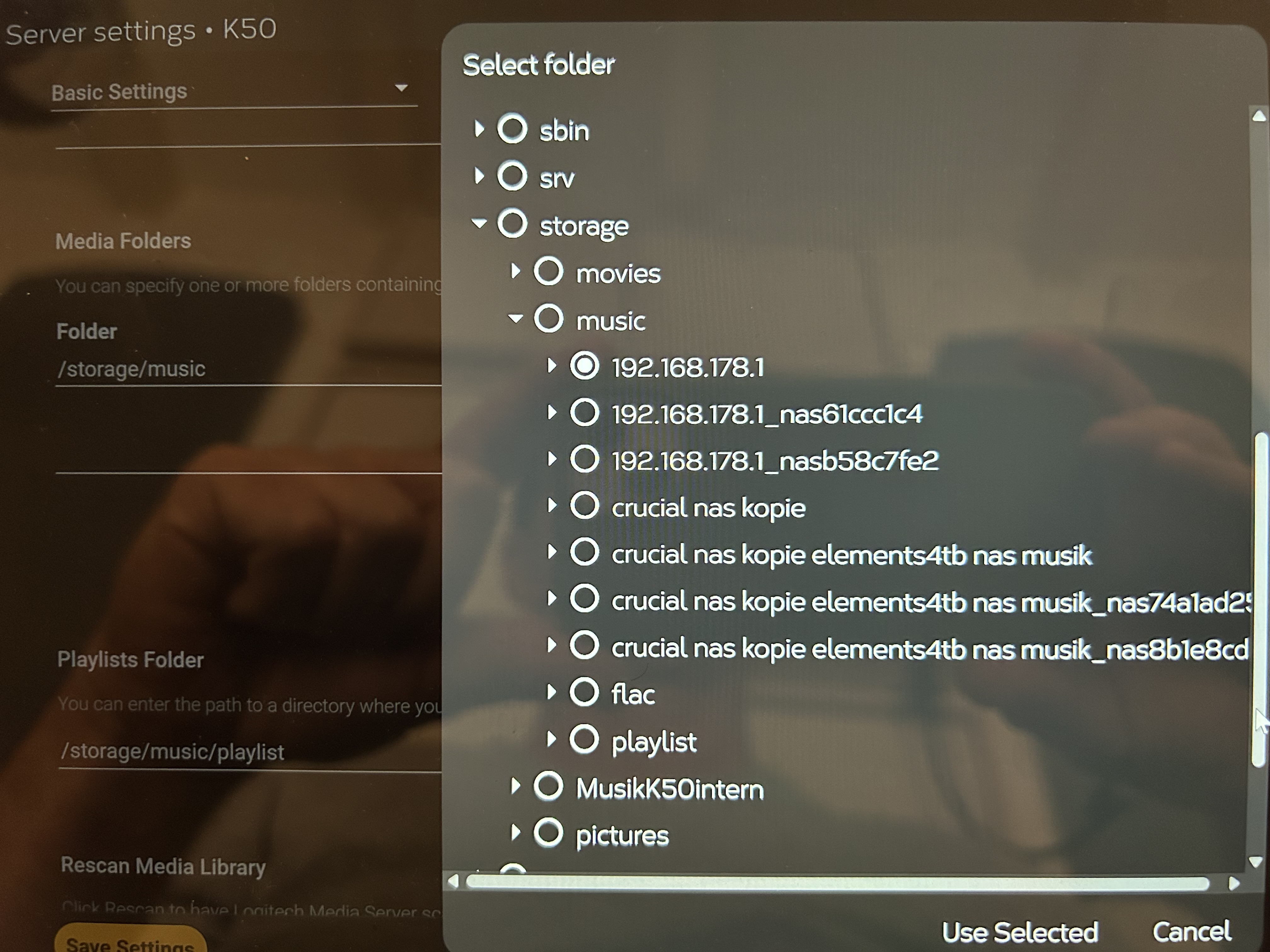
…now I‘ve found it…see screenshot… here I have to choose…now it works… everything appears once like it should
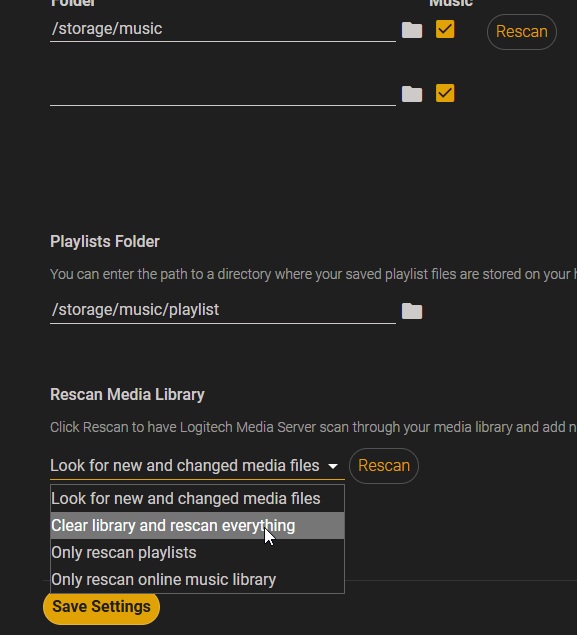
How to cancel the several redundant ones…?
Uli
When setting up a NAS on an Antipodes this is done via Include on the AMS Dashboard:
If you wish to clean your library in Squeeze, use Clear and ReScan:
Thank you, everything ok