K50G4 running Squeeze/Squeeze. Connection to DAC via USB.
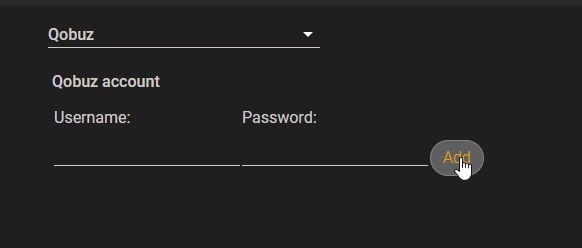
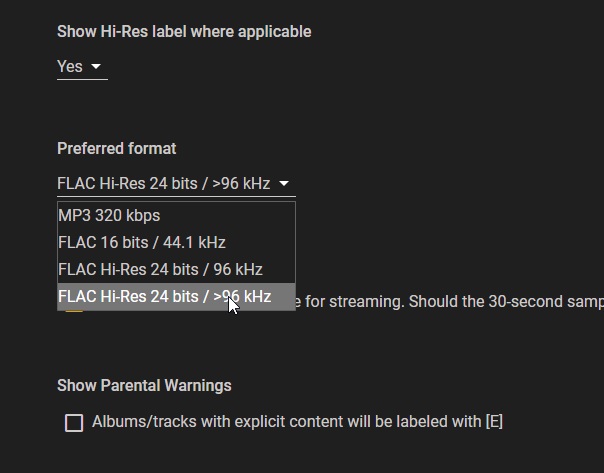
When I play hi-res files from Qobuz it sounds like white noise but get close the speaker and you can hear some level of music way down in the noise.
Standard res files play OK, and hi-res files from the SSD play OK.
The Qobuz forum suggests an issue between the two USB interfaces. So the first question is, does the K50 process streaming hi-res files differently from locally stored hi-res files? If not, do they appear at the outbound USB interface differently?
This started about 6 weeks ago.
I have tried using the AES interface to see if it is in fact the USB interface, but for some reason that doesn’t play at all. It has worked in the past so not sure what’s going on.
The K50 runs software that processes the files. Thus it would come down to how Squeeze as configured on your K50 is processing the files.
It’s my understanding that Squeeze plays files the same regardless of where they come from. It will make a call to Qobuz, retrieve the files from their servers, and then just plays them. When playing from the local drive, it makes a call to the operating system on your K50, retrieves the files, then plays them.
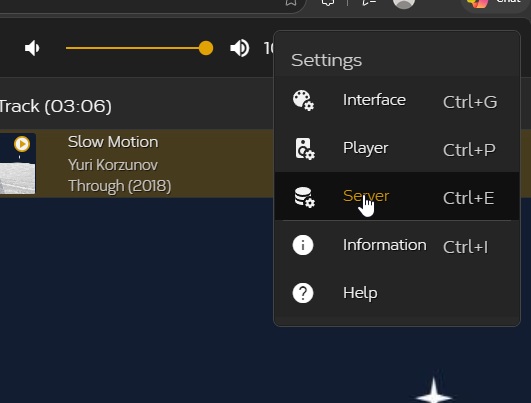
I just confirmed that high res from Qoboz plays just fine. What I would suggest: confirm that your USB cable is well seated. Power down both your DAC and K50, them power on your DAC and after it is fully on, start your K50. Next go to Squeeze… server settings… have it clear library and rescan everything.
I think you need to check the K50’s configuration under Squeeze; perhaps a screenshot would help. I’d try setting playback to Native if you haven’t already.
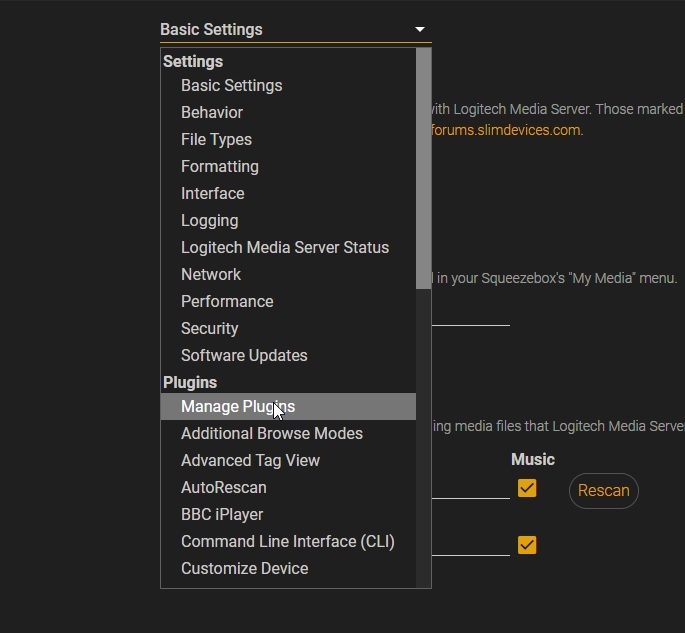
Prince connected to my K50 and found some server plug-ins I had enabled that were probably causing the issue. One being a DSP plug-in but wasn’t using, and there was CPO something also?
Those plug-ins had been enabled for some time with no issues and then the system went rogue. Had those plug-ins caused immediate issues on selection I would have de-selected them at the time, but at that point nothing was amiss.
The local hi-res files always played, I guess they’re routed straight to the player rather than passing through the server.
Prince looked at the Squeeze forums which pointed to one of the plug-ins as a potential issue. I did the same some time ago but didn’t find anything.
Perhaps there could be a repository on the Antipodes forum / support site that catalogues known plug-ins that might be causing issues?
Good to hear Prince traced it to the enabled plug-ins rather than the K50 hardware itself. The detail about local hi-res files bypassing the server path is a useful clue, since it narrows where the routing issue sat. A catalogue of known-problematic plug-ins on the support site would save a lot of guesswork, especially when something runs fine for months before going rogue. Please do post back if Antipodes confirms anything further about that CPO plug-in.
The C-3PO detail is the part worth pinning down: disabling the transcoding helper after v4.4 seems to be the standard first step, so it may not be your K50 routing at all. What still puzzles me is why it ran quietly for months before misbehaving, which suggests a version change rather than a setting you touched. If Antipodes confirms the plugin interaction, a short note in the support docs on which Squeeze plugins to disable by default would help everyone.
When using an Antipodes all files, streamed or stored locally use both server and player, nothing by-passes the server.
C3P0 code handles streamed and local files differently, hence can play local without issue.
Antipodes do not use Connect, with Qobuz Connect the server is in the Cloud, with Squeeze/Qobuz integration the server in is the Antipodes device.
The Menu would not have been changed by Support.
The message Squeeze gives is sadly not accurate.