I have been using Squeeze for 6 years—initially on a K50, and for the past 3 years on an Oladra. There were occasional issues following the release of AMS V5, but everything had been working perfectly for over a year. Recently, however, only a few images appear under “Album Artists,” with 90% of them missing. I have deleted and re-scanned my library, cleared the cache on my iPad and iPhone, and performed a full system restart. The issue persists across different browsers and on both Apple (iOS/iPadOS 27) and Android devices. Does anyone have any other suggestions or ideas on how to fix this?
Many thanks.
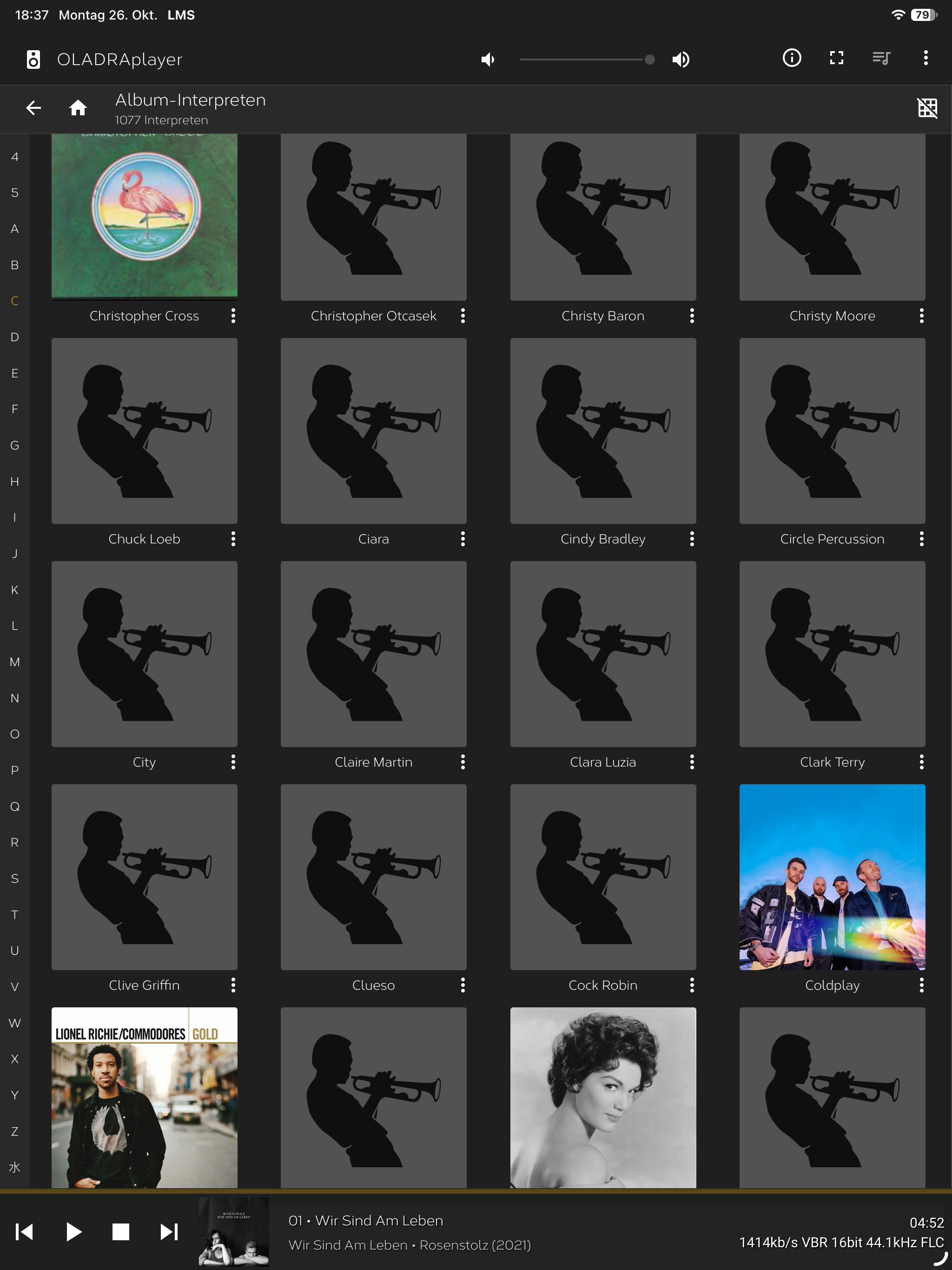
I have noticed the same problem for about a month. The odd thing is they still show up under the other headings.
Could you book a remote session via Circle so we can check:
Circle - Resources for Oladra and Antipodes owners - Antipodes User Forum
I would like to book a remote session and have filled in all the details. Unfortunately, each time I try, the message “… Missing or invalid required fields” appears.
If you are getting Missing or invalid required fields, the AnyDesk ID is 11 numbers.
Confirm you have the correct AnyDesk ID, normally the ID’s are 9 or 10 digits.
If you have an 11 digit AnyDesk ID, I have made a change to accept 11-digit AnyDesk ID’s
Last night, I had a remote session with Prince, and he was able to enable the loading of artist photos in Squeeze. Everything was loaded after two hours. Thanks, Prince, for your work.
3 Likes
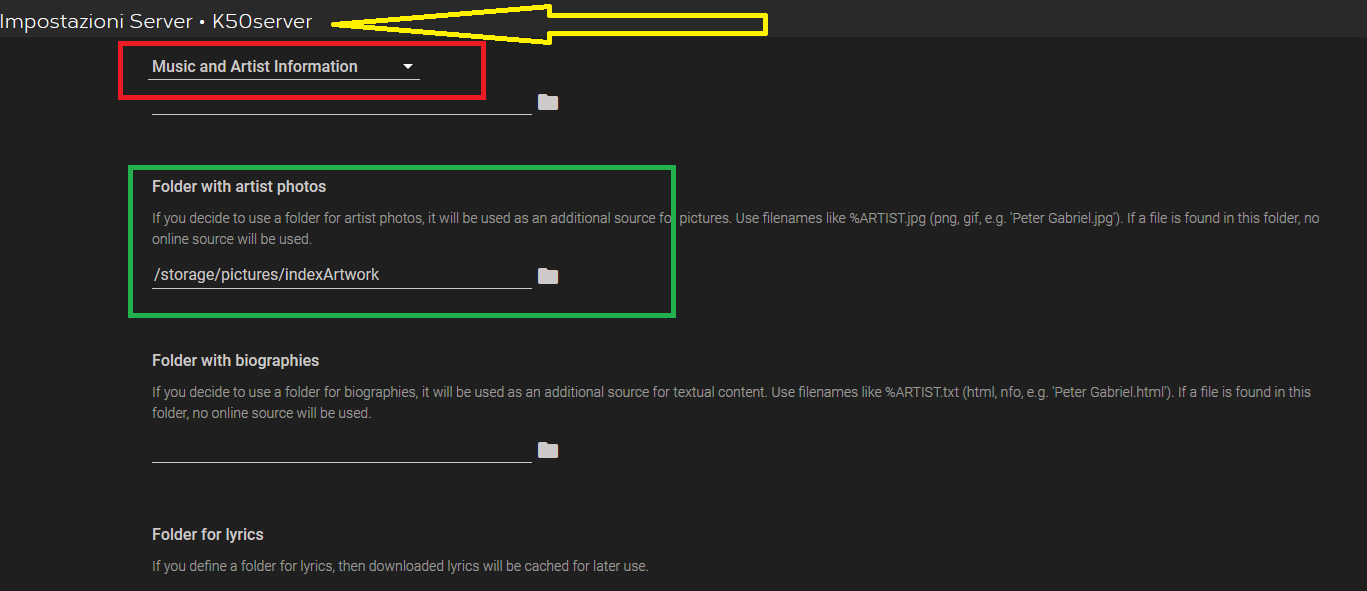
If an image of the artist is not found on the net, you can always create a folder where you can insert the images (jpg, png) and set this folder in the “Music and Artist Information” plugin.
Please note that the file name must be the same as the artist name !!
1 Like
I just did what Francesco mentioned here a couple of weeks ago. It worked great. I believe there was some type of update with the LMS database of artist artwork. Now I check for random artwork which might disappear and replace it this way. I’ve always used Music Brainz to make sure all my local music is tagged properly with album artwork, now it’s great to have control over the Band artwork, not just the album artwork. Hail LMS !!! the best !!
I have tried copying missing artist images into the corresponding folder. I restarted the Oladra, but there is no change. Do I need to delete the placeholder file for missing artists?
I believe you need to do a rescan. The rescan that says “Clear Library”, not just look for new or changed items.
1 Like
The manual folder approach seems like a solid fallback when the online lookup comes up empty, especially for lesser-known artists. One thing worth confirming is whether the Music and Artist Information plugin needs a rescan to pick up new files placed in that folder after it’s set. Also, the filename-matching detail matters — are spaces and punctuation in artist names handled literally, or does it normalize them? Curious how that played out for anyone who’s tried it.
In my experience:
- need for new scan
- spaces and punctuation in artists’ names are interpreted literally
A full “Clear Library” rescan is worth trying before assuming the placeholder file is the problem, since a normal scan may not re-evaluate artwork that’s already been assigned. On the filename question, from what I understand the matching tends to be fairly literal, so spaces and punctuation in artist names usually need to match the folder and file naming exactly rather than being normalized. That makes the manual route workable for well-known names but fiddly for anything with ampersands or unusual spacing. Worth testing with one artist first to confirm the behavior on your setup.
On my Oladra, 1,000 album artists were found online and saved to the corresponding folder. 40 album artists were missing an image or had an incorrect one; I have now added these manually. Everything worked fine for me. I did not delete the placeholder file. The crucial point was ensuring that no special characters (such as &, -, ˋ,” etc.) appeared in the filenames—even if those characters were part of the artist’s name. I replaced these special characters in the filenames with spaces, and only then was everything correctly identified. A standard scan wasn’t enough in my case; I had to delete everything and re-import it. Later, I realized that if you simply wait, everything is eventually identified correctly on its own—overnight, for instance. I hope everything remains stable for a long time to come, and I wish you all the best of luck.