Interested to know whether having access to the internet is required to use the antipodes web UI?
Ie. Is it possible to use and manage an Antipodes product (change player or server settings) without needing an active WAN?
Interested to know whether having access to the internet is required to use the antipodes web UI?
Ie. Is it possible to use and manage an Antipodes product (change player or server settings) without needing an active WAN?
Perhaps Mark Cole could clarify? Thanks
I think you must have a dhcp server.
Nick
Yes, I think an active WAN is needed.
I solved it too. Without internet access I couldn’t get into EX.
I don’t have internet at home, I use EX to play files from my home network from a NAS.
I solve it like this:
I run Ex.
Then I activate hotspot and internet sharing on my phone (data connection). It’s called USB tethering.
I connect my phone to a USB type-C Gigabit network adapter, which is connected to the router.
I connect to Ex on my laptop. After starting playback, I disconnect my phone from the router, there is no need for the internet anymore.
If I turn off my laptop and turn it back on, there is no need for internet to reconnect to Ex.
If I turn off Ex, the new connection requires internet.
It’s quite annoying, I’d be interested to know if there’s a way that doesn’t require an internet connection.
What do you mean by “get into”?
I mean, launch the Solution Dashboard through the Internet browser.
(…and then start the Server app and play music.)
Has anyone tried to find the Antipodes Device in WAN without internet using the My Antipodes mobile app?
I couldn’t do it and that’s why I came to the conclusion that the internet is necessary for this.
Therefore, I use the breakneck method mentioned above and use a laptop to select songs to play.
Which app? I could maybe provide some advice but I need more information. It really depends on the server app.
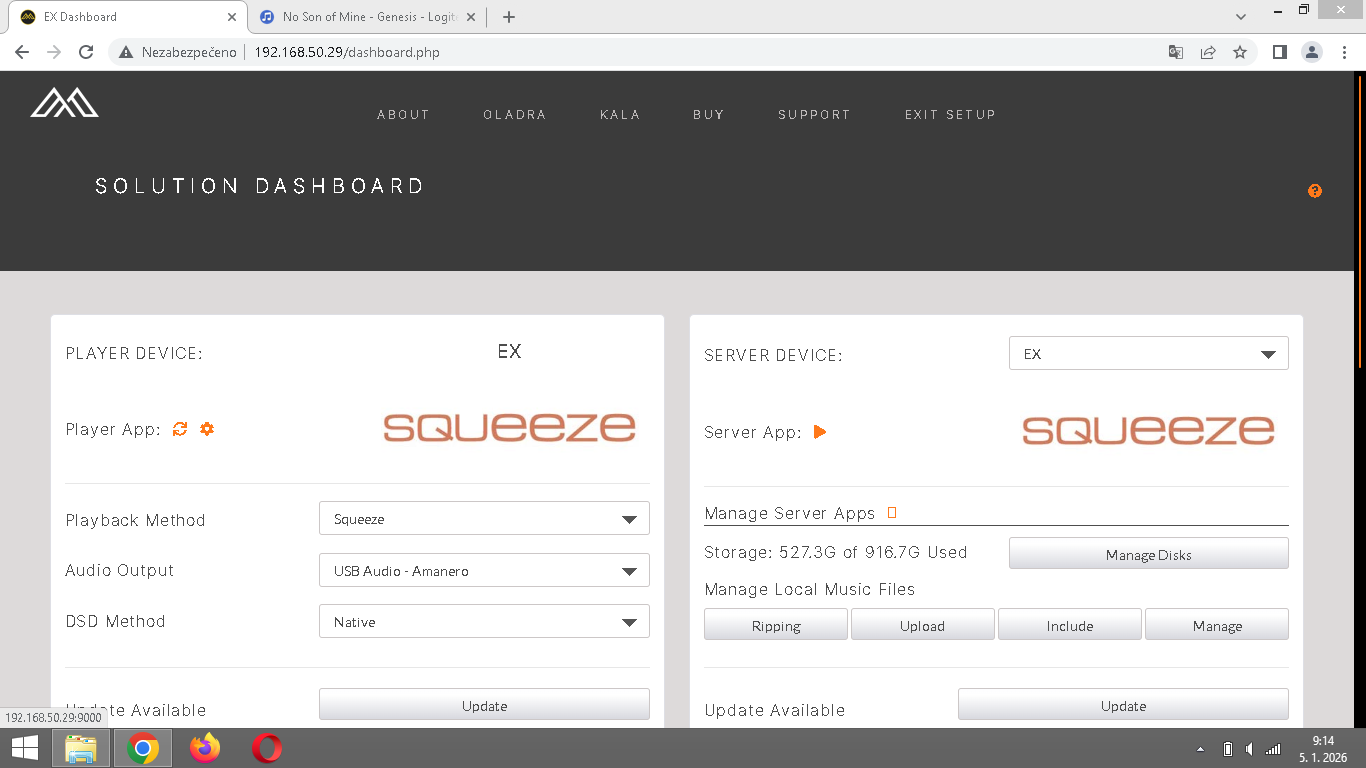
First, launch the Dashboard and then the Server App (mouse cursor in the image).
Vkladam obrazek…
The playback method determines which app is run when you click that button. Please tell me what playback method is set on your dashboard. If it is Squeeze, I may have a workaround I can suggest.
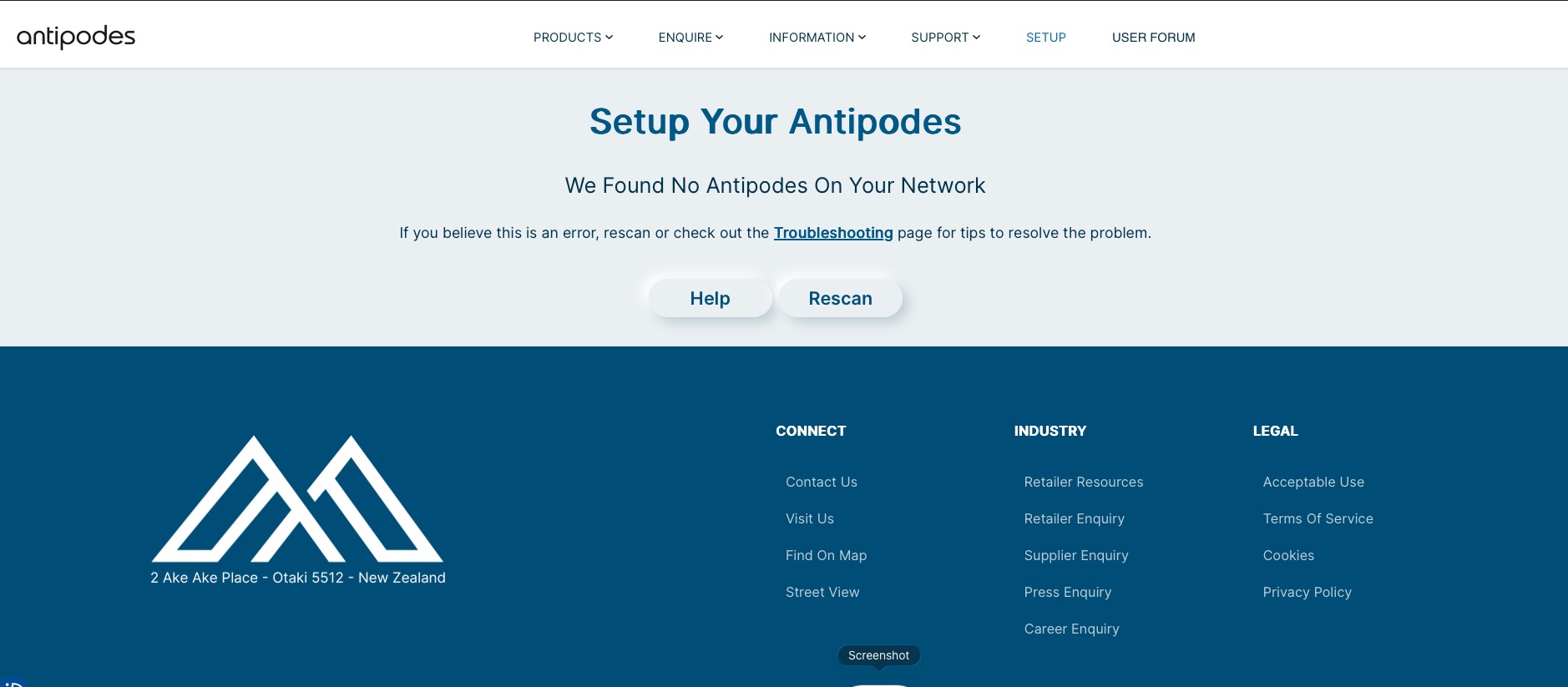
Ok, so this am. (7:20 in UK) I am unable to connect to my Oladra (see screenshot), and hence can no longer control my server settings/configuration.
I therefore deduce there is a dependency on having Antipodes Server (back at HQ in NZ) connectivity, which currently must be down - leaving my Oladra UI inaccessible.
Question: Why can we not have a product that is UI accessible in an “off-line” mode???
It seems to confirm that if I want to configure or manage Antipodes, I need to connect to the Antipodes Server in NZ. That is, be online without fail.
Until now, I thought that playing music via Antipodes from a NAS on a local home network required the same, being online.
Do you think Kennyb123, is it true?
This is how I play music on my EX.
In my browser, I go to 192.168.50.29, EX Dashboard.
And in the right half of the screen I will launch the orange arrow (next to Server App:)
After you click the orange button, the Squeeze interface will be displayed. Save this as a browser bookmark/favorite. You should then be able to access this without internet access. This is the way that I always access Squeeze.
Just keep in mind that the IP address of the EX can change. If it does, the bookmark you created will no longer work. You can either update the bookmark or repeat this procedure and create a new bookmark.
I have never tried playing without my network being connected to the internet. I will try this tonight.
Antipodes Audio’s current software and servers require an internet connection to operate by design for network discovery.
There is a way to connect to the AMS Dashboard without internet.
You need to know the IP address of the Player, obtained via the router or a LAN scan. The Player is what “runs” the Dashboard.
The router needs DHCP enabled; a “remote” connection can be made wirelessly assuming the router the Server is connected to has wifi, or via a wired Ethernet connection.
In the address bar of your browser, you type:
IP_ADDRESS_OF_PLAYER/dashboard.php (eg: 192.168.2.100/dashboard.php)
Wait, as this process can take some time, you can make a shortcut to it, but remember IP addresses can change.
You can launch Squeeze here and play back any locally stored files; patience may be required for Squeeze to launch.
Note: We did implement a manual mode for partners to use at shows, where internet connectivity can be problematic. I would advise against using this, as it is buggy and long-winded. The above should give you the result you are looking for.
Squeeze and MinimServer can be operated without the internet.
Roon cannot, and HQPlayer will require an initial setup step with internet, so I’m going with cannot.
MarkCole, thank you for the comprehensive explanation and clarification. Great support, perfect.
Although it is extremely unusual, I do not have internet at home, I only have internet on my mobile phone. Thanks to this topic, I have greatly simplified my way of playing from my NAS.
Kennyb123, thank you very much for your willingness, I know that you are actively helping members here on the forum. The tip about saving the Sqeeze interface as a bookmark works perfectly for me (of course without an internet connection).