my k50 has been in standby mode for the last 60 days. I went to use and it can’t be found on the network (myantipodes). I have set it up with modem to switch, switch to antipodes and workstation running windows 10 with Roon and Tidal. I’ve done multiple reboots and restarts (both cold and warm with all the equipment, changed ethernet cables and tried a different switch. The switch and network port on K50 both show the network cable as been alive (green with some flashing). The K50 starts up and shuts down in a normal fashion (boots to green, shuts down to standby. I’ve exhausted the first round of troubleshooting… thinking it may be a hardware issue or a corrupt drive. BTW, I am located in Canada.
Are you using a wireless remote to access SETUP from the website, could be on a different subnet, have you rebooted the switch and your router?
Since you have a live network port as indicated by the ethernet lights on the rear of the K50, plug a computer into the same switch via ethernet that provides the K50 ethernet to access the AMS Dashboard.
NB. Doesnt sound like a hardware or corrupt drive to me, more like a network issue.
i am unable to bring up the AMS dashboard “we found no antipodes on your network”
I’ve done all of that, modem to firewall/router, firewall/router to switch, switch to k50 and computer, and rebooted all devices. pop ups disabled, tried Chrome and Edge.
agree, hopeful that it a network issue unable to identify
Check the IP tables in your router or run a lanscan to see if the K50 is actually on the network, the remote computer and the server need to be plugged into the same switch, this should give you the IP addresses of both the server and the player.
I’ve done that and the K50 does not show up.
If you are sure the lan cable is firmly seated in the NETWORK port on the rear of the K50, try the other port (Direct Stream) on the rear of the K50 with both the remote computer and the K50 connected directly to the router, this should yeild IP addresses in the lan scan also.
Failing all of that book a remote session so the team can double check: Antipodes Audio Support Booking Form
okay I will try that
no change, I will book a remote session
Did the remote
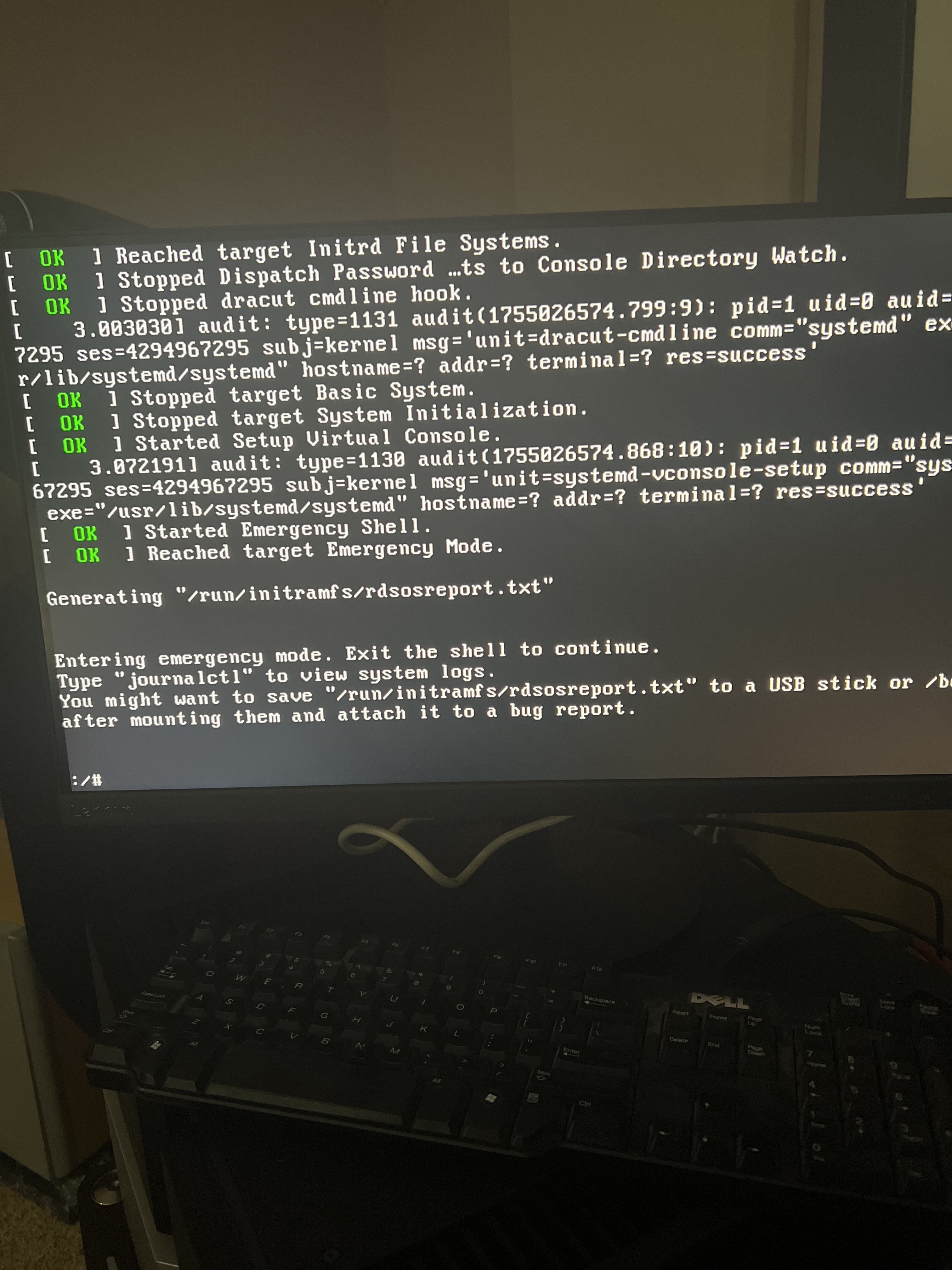
session with Prince. He asked me to put a monitor and keyboard on to the KS50 to view the boot up. I m now at that stage toward another support session.
It mentions entering “emergency mode”. Was it your impression that it did that on its own? Or did Prince cause it to go there?
The server is not booting, it is in fact a hardware issue not network, the unit requires service