Hello… I tried installing a 4TB Crucial SSD in slot 2 of the K50… but it doesn’t recognize it at all… the same thing happens when I try to install a 2TB Samsung 870 EVO SSD. i’ts the same with the slot 3.
I don’t want to try it in slot 1, because I’m too afraid of losing the music stored on my 8TB Samsung PM893 SSD.
Hi Chris, to my knowledge you cannot simply add a new SSD to your system without reinitializing the SSD in slot No. 1. You have to do a backup of your first SSD and then initialize both SSDs new, because after that they are building together a new complete storage of 10 TB. Good luck!
You can add an SSD to an existing storage pool, without the need to back-up.
We always advise having a back-up of course.
Add SSD while the device is turned OFF, once the SDD is firmly seated, Start your device.
Go to Manage Discs in the AMS Dashboard, follow the on-screen instructions to add the new SSD to the storage pool.
If your SSD is not showing in Manage Discs in the AMS Dashboard, the most likely scenario is the SSD is not seated on the internal connector, either not pushed in enough or not aligned.
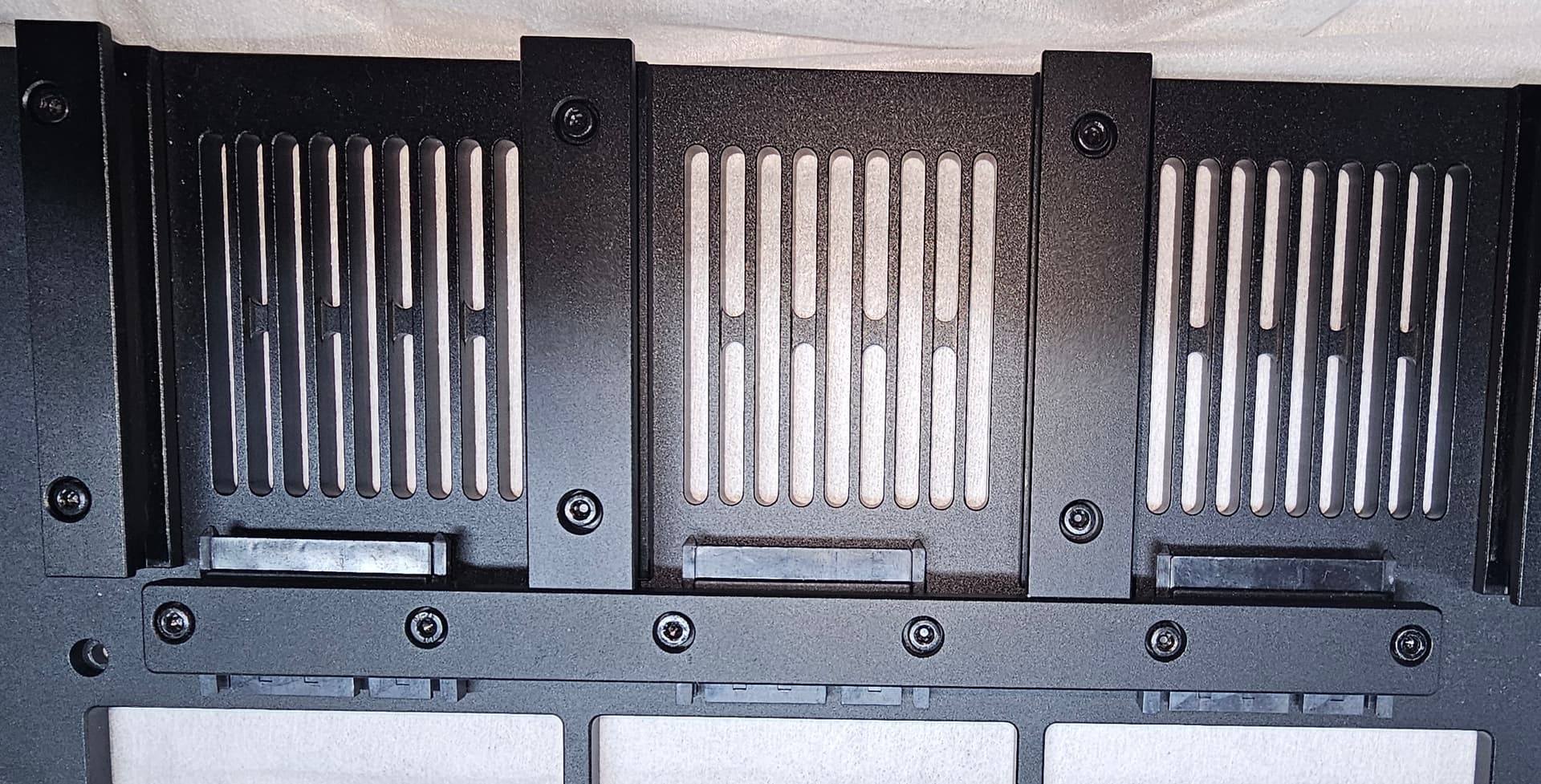
This is the K50 SSD Tray
1 Like
Isn’t it also important to use SSDs that are the same storage size???
Not necessary, they can be any size
1 Like