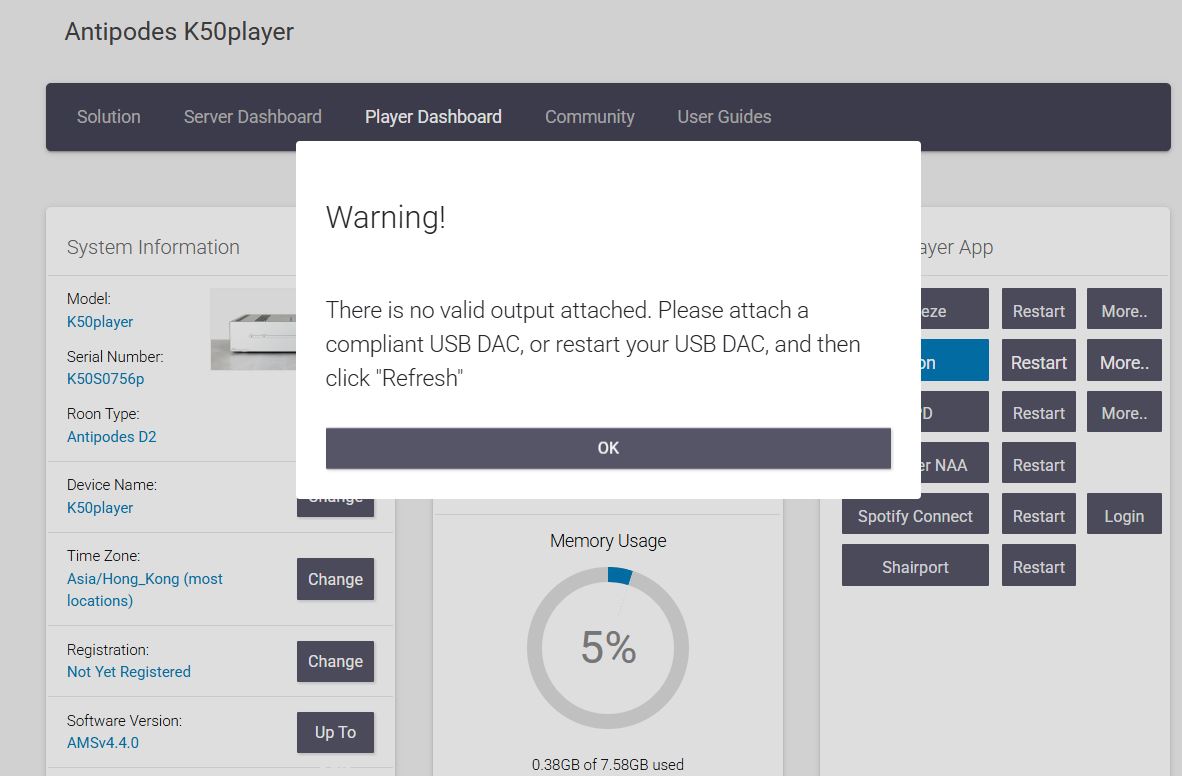
"There is no valid output......" Pop-up screen by K50 player

Hello Antipodes,

Today I started my K50 and found that there is no K50 player available as a Roon endpoint. I scanned the network to find the K50 and found that a window popped up saying, “There is no valid output attached. Please attach a compliant USB DAC, or restart your USB DAC, and then click “Refresh”” (see attached screen capture).
I have restarted the K50 several times, but the problem persists. I use K50’s AES out to my DAC instead of via USB cable, and it worked flawlessly before. I don’t know why it doesn’t work today.

The K50 server and the Roon server are still working fine, so that I can play Music via other Roon endpoints, says the A&K CA1000T or my Linn Klimax RDS.

Can you help in this matter and advise me on how to solve this problem?

Thanks in advance!

FranXis

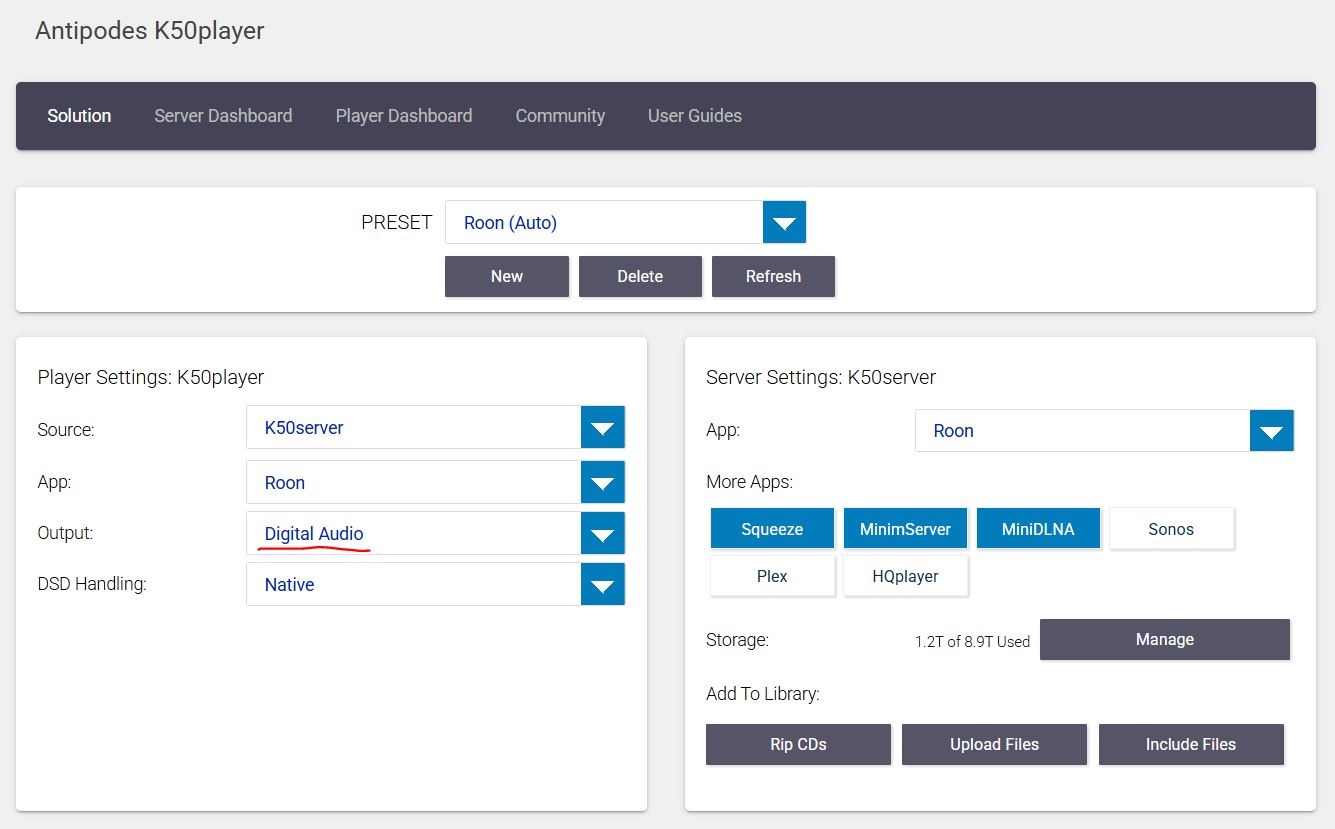
Please post a pic of the Solution Dashboard.

Ensure that the USB cable is plugged into the USB Audio Output on the rear of the K50.
Restart the DAC.
Refresh the Player via the Solution Dashboard.
Ensure USB is selected.

What is the USB Cable?

He mentioned using an AES cable, so his K50 shouldn’t even be looking for a USB cable. In the current version of AMS, the Audio Output dropdown would correct this. I recall a similar option in the previous version that he appears to be using. I don’t recall where it was found.

Ahhh, good point, re-read, just need to go to the Solution Dashboard and select Digital

Thank you all! :smiley:

The issue suddenly disappeared after I restarted the K50 after more than 1 hour of shutdown.

1 Like