Previously I could not get 2 different usb cables to work with my Pacific DAC but witheld from investigating further as felt the problem was with the DAC usb input. I just replaced that DAC with Lampizator Horizon 360 model and have the same problem i.e., two different DACs using 2 different cables that do not work. I am using AES and it is outstanding but want to try USB and should be able to. Does anybody have any insight or solution? THX
UPDATE:
Web search tells me to use PLAYER Settings to change from choice of “Digital” to USB.
My Player dashboard does not give a “USB” choice only Digital, Analog or None.
THX
You don’t see a USB option in your audio output? With USB connected try shutting both off, turn on the DAC first, then reboot the Oladra.
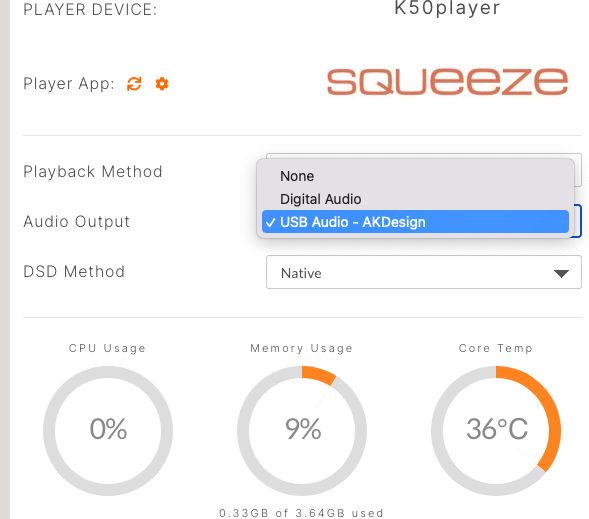
@Watts,
That did it! Thank you
1 Like
Because of the Horizon 360’s, and many other Lampizator DAC designs which do not adhere to the USB 2.0 Audio Standard (UAC2) as they isolate the USB board and ignore the 5V USB power wire, which changes how host devices interact with it. Because the server cannot “see” the DAC using its own 5V power bus.
If you turn on the server before the Horizon 360 is powered up and set to the USB input, the server might conclude that nothing is attached to the port.
Always power on the Lampizator and ensure it is switched to the USB input before booting up your server. This ensures that when the server checks the USB ports during startup, the DAC’s internal supply is already active and ready to communicate.
As a side note, this is also why some audiophile USB cables don’t work, as the designer has removed the 5v line in the USB cable.