this has probably come up before
I have Antipodes k41 and k22 connected to tambaqui via usb and tambaqui connected to power amp
using roon i have set volume control to device
however playing track volume says fixed and volume is very low
help please
been using AI for recommended connections
what do people think of this
can k22 be configured as network bridge
With an Antipodes K22 added to your K41 > Tambaqui > Edge setup, you’re using it as a dedicated network switch/streaming endpoint. It cleans up the Ethernet signal before it hits the Tambaqui.
Here’s the best chain:
Optimal Connections with K22
1. Network chain
Router → K22 → K41 → Tambaqui
- Router to K22: Standard Ethernet. K22 acts as a network filter/reclocker.
- K22 to K41: SFP fiber if both have SFP ports. If not, use Cat6a/7. This isolates the K41 from network noise.
- K41 to Tambaqui: Ethernet or SFP fiber. This is your audio stream - keep it clean.
Why: The K22 removes packet noise and jitter before the K41. Antipodes designed the K22/K41 combo this way. You’ll hear lower noise floor and better micro-detail vs router straight to K41.
2. Audio chain
No change from before:
Tambaqui XLR out → Edge preamp XLR in → Edge power amps XLR in → TAD ME1s
Tambaqui stays in DAC-only / Fixed output mode. Let the Edge preamp handle volume.
This is incorrect, and NOT how the products are designed.
This is correct:
Network - K41 - K22 - DAC
The K41 is the server, if you want to connect via Ethernet to the DAC remove the K22 completely and use the DAC as the endpoint.
For best sound using a K41 + K22 combo we recommend connecting the K41 to the Internet then connect via Direct Stream out on the K41 to the Ethernet input on the K22, then K22 to the DAC via USB.
1 Like
thanks Mark for the clarification
but why is the volume set to fixed in roon
is it anything to do with using usb to dac
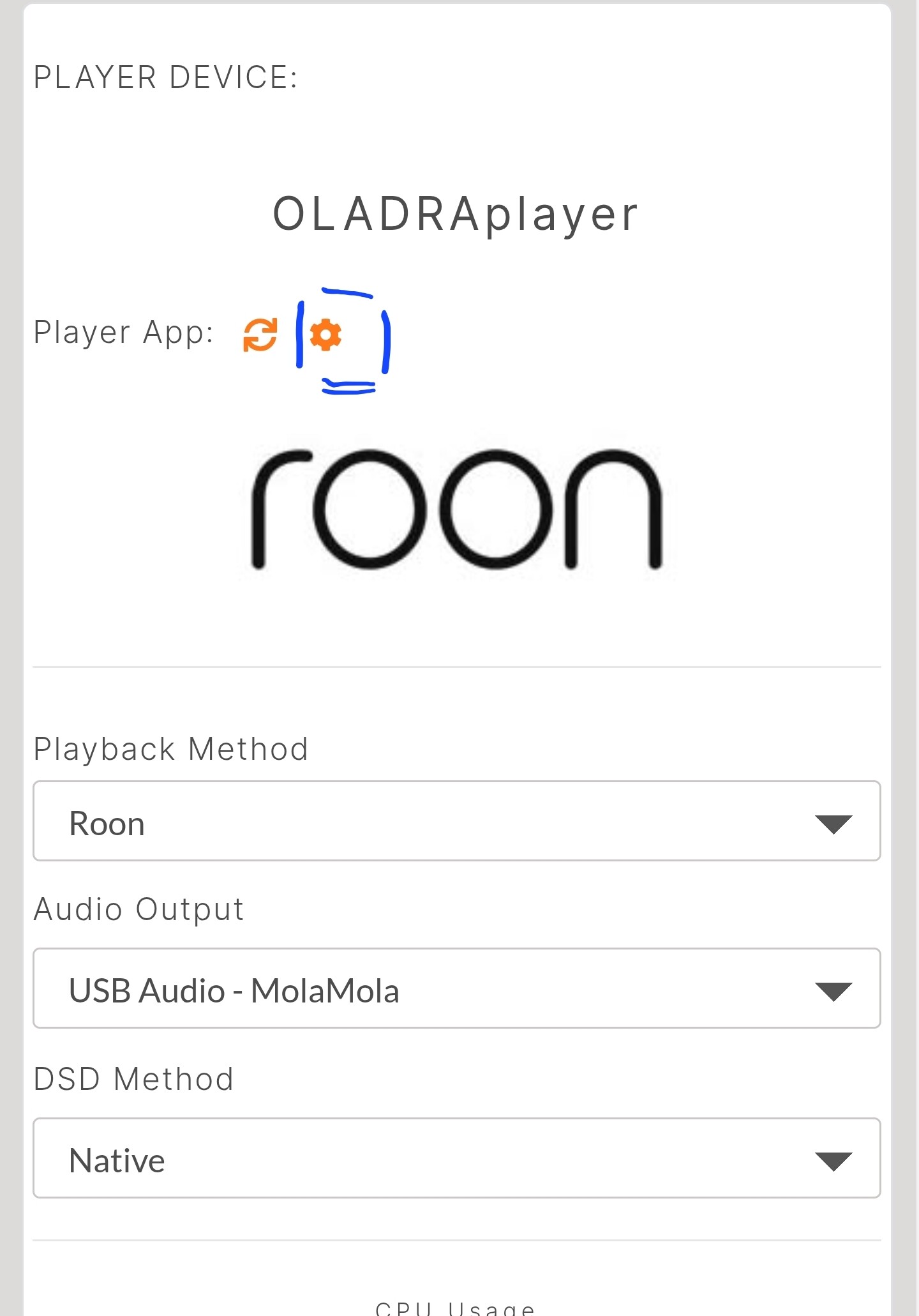
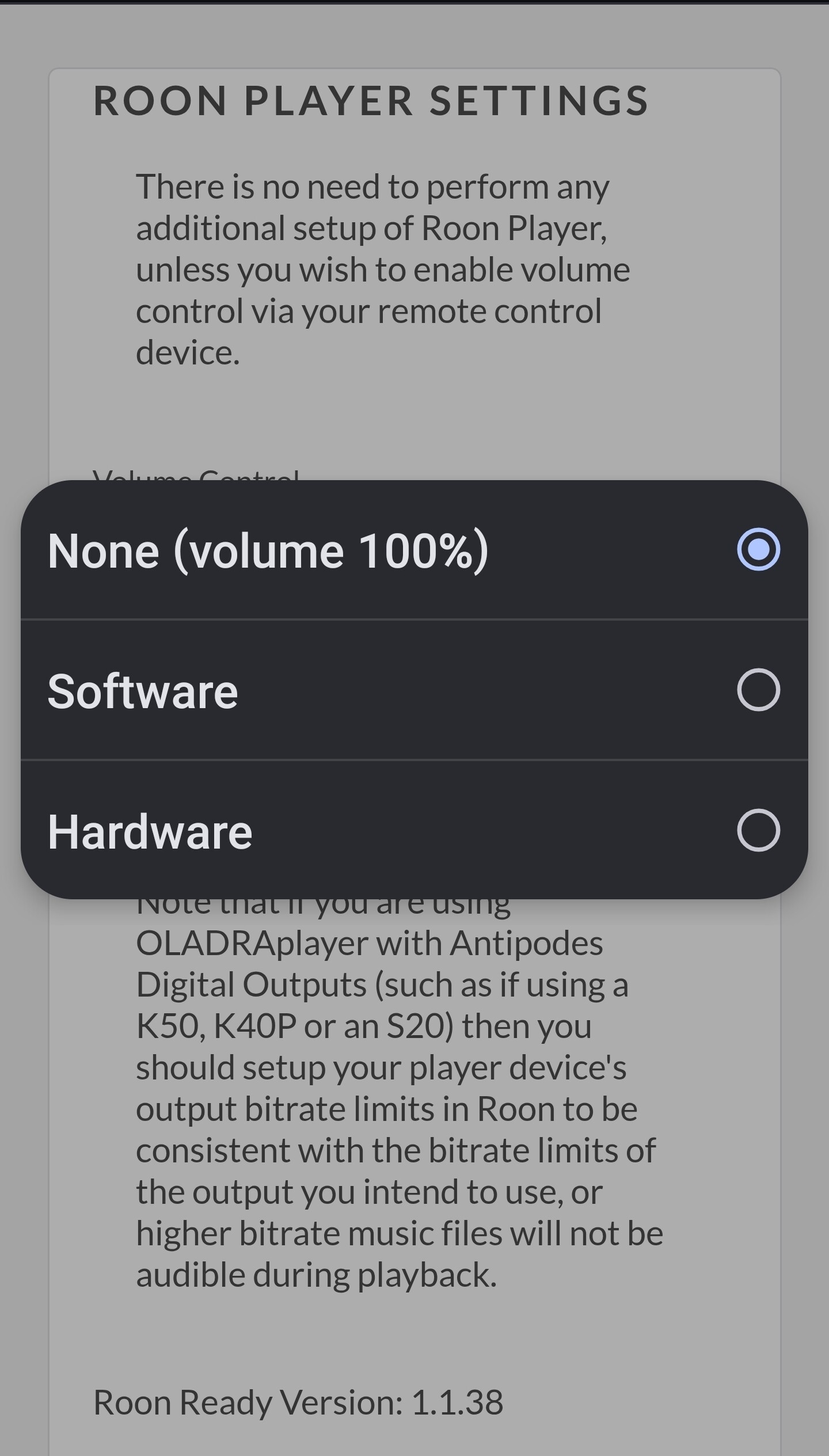
thanks for this Mark
but is it the same for the K22 I have
All our servers have the same options for volume in the AMS Dashboard
this is what I have for the K22
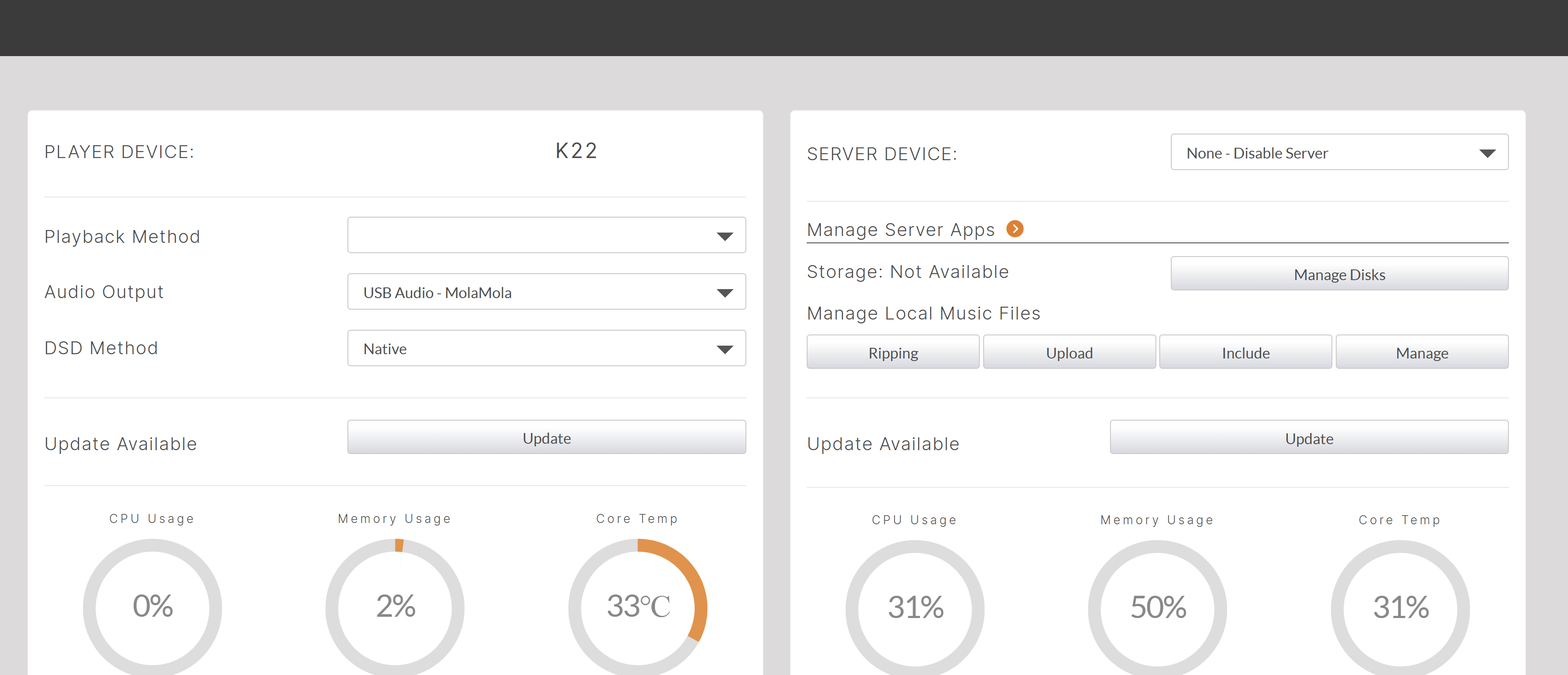
Nothing under Playback method and no settings widget
tried to change server setting but it does not stick
I recommend booking a support session
1 Like
KennyB is correct, please book a support session via Circle.
Your AMS Dashboard has a corrupt .php file that is remedied by a quick line of code.
1 Like
Thanks for the support session AMS upgraded and config fixed
Still cant work out how to set the Tambaqui volume to a “listening” level, the Tambaqui volume goes from -80db to 0, even at 0 volume its quite low
Tried all combinations of settings I can think off
I have the Makua preamp version of this DAC and some settings are different for stand alone Tambaqui DAC. I recall reading some postings some time back on being able to change gain on the stand alone. Out of curiosity, I downloaded current Tambaqui manual and found the following, which might have impact for your issue. Suggest checking to see if your default setting is lower than standard default. Good luck
"Maximum Output Line levels
Adjust the maximum output line level in case you hear clipping when the Tambaqui is
connected to a preamplifier. Some preamplifiers cannot handle a line level input of 6V RMS.
Selecting a line level output of 2V RMS is sufficient to solve this issue. It can also be used
to match the line level with other sources connected to your external preamplifier.
In case you have connected the Tambaqui directly to your amplifiers you could choose a
lower output level to prevent accidentally high output levels.
This setting does not affect headphone output levels.
There are 3 options for output levels:
-
6V Default setting
-
2V -10dB attenuation
-
0.6V -20dB attenuation"
1 Like
could it be anything to do with the fact that the Ethernet input is the only input that is Roon Ready and not usb
No, when using USB, you are using Roon Ready in the K22.
It is best to use the K22 in fixed volume and use the preamp to control volume.
The Tambaqui would also need to be set at fixed or line out mode.
Ensure that the line out on the Edge is set to variable to the power amp.
Then check the post above.
1 Like
Looks like the issue is that the K22 is the Roon endpoint, I think the only way to get it to work is to skip the K22 and connect
the K41 to the Tambaqui via direct ethernet stream making it the Roon endpoint
I guess the question is would this sound better or not?
And is it better to have the Edge preamp in the config, AI suggest not but then I dont trust AI completely
Many clients have this setup of K41+K22, it’s essentially a K50 and have no issues using Roon Ready in the server connected via USB.
It is totally up to you how you use the devices, and which sounds best.
The Tambaqui can be used as a digital PreAmp connected directly to the power amps, or can be connected to the preamp.
The Antipodes setup can be fixed volume or software controlled.
The ideal setup for the Antipodes devices K41+K22 - USB to DAC.
so in the Roon player settings on the k22 if i set the
volume control to a. hardware or b. software where should i be able to adjust the volume to listening levels?
The volume control section in the following should give you an idea of the different ways that Roon can handle the volume. The naming is a bit different than the screenshot Mark shared above, but I think fixed might be the best choice when using the Tambaqui as a digital preamp. This should correspond to the volume 100% option, I think.
1 Like
My question is where do these settings allow the volume to be adjusted
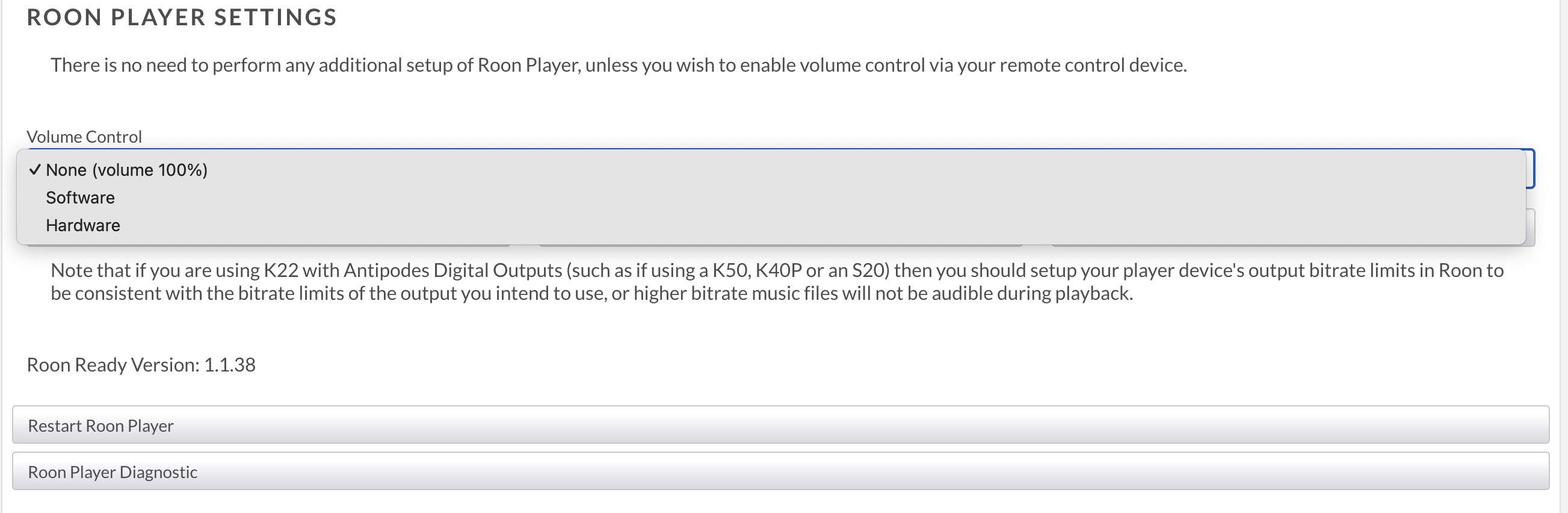
I assume None is fixed volume, software is roon app and hardware is DAC, none of these settings allow me to adjust the volume on the Tambaqui to normal listening levels in the roon app its always marked as fixed volume
Incidently since support call and update to AMS 5.0.1 the K22 keeps on losing network connection not being displayed in myantipodes requiring everything to be switched off and on again