Curious about HQPlayer vs Squeeze on Antipodes

I never close the app of course. I simply browse the web, check messages and such and yet when I choose to “start from the beginning” of an album, it will often simply stop playing unless I am not multitasking.

This of course never occurs while running Squeeze or Roon.

Here’s what I suspect is happening.

MPD pulls files itself and plays them. With local files, it pulls them off MinimServer or MiniDLNA. With Qobuz or Tidal, MPD has to pull the files from the client running JPlay or equivalent as neither MPD nor MinimServer nor MiniDLNA have the ability to log into those services directly themselves. So if the OS decides to hibernate the client app because it’s in the background, playback will stop.

Squeeze, Roon and HQPlayer have server apps that pull the files either from local storage or a a service like Qobuz. These server apps then push (stream) the file to the chosen endpoint. The client apps only control playback. They don’t serve up the music themselves the way that MConnect or JPlay would have to when it comes to streaming services.

iOS should be keeping music player apps like JPlay from hibernating so the music should keep playing. That the client app has to stay involved in the playback of music is why JPlay had to add some settings that allow fine tuning of how hard JPlay works to keep in contact with the app playing the music (MPD in our case). If you tweaked some of these settings it could explain why multitasking isn’t behaving as it should. I would try rebooting the iPad first though.

It can’t happen with their client apps because they aren’t involved in pulling tracks off the streaming services. Their respective server apps do this.

1 Like

Thank you, @kennyb123 Makes perfect sense when you explain it in this way. I suppose next time I use the app (which is not very often as I much prefer Squeeze) I’ll focus on content that is in my local drive only as opposed to streamed content from Qobuz.

I’ll of course take your suggestion and fist restart my two iPads and failing resolution will contact Jplay support. Marcin is generally pretty about getting back to me I’ve found. :pray:

Jplay is a remote controller.
Jplay send via api a command to the server.
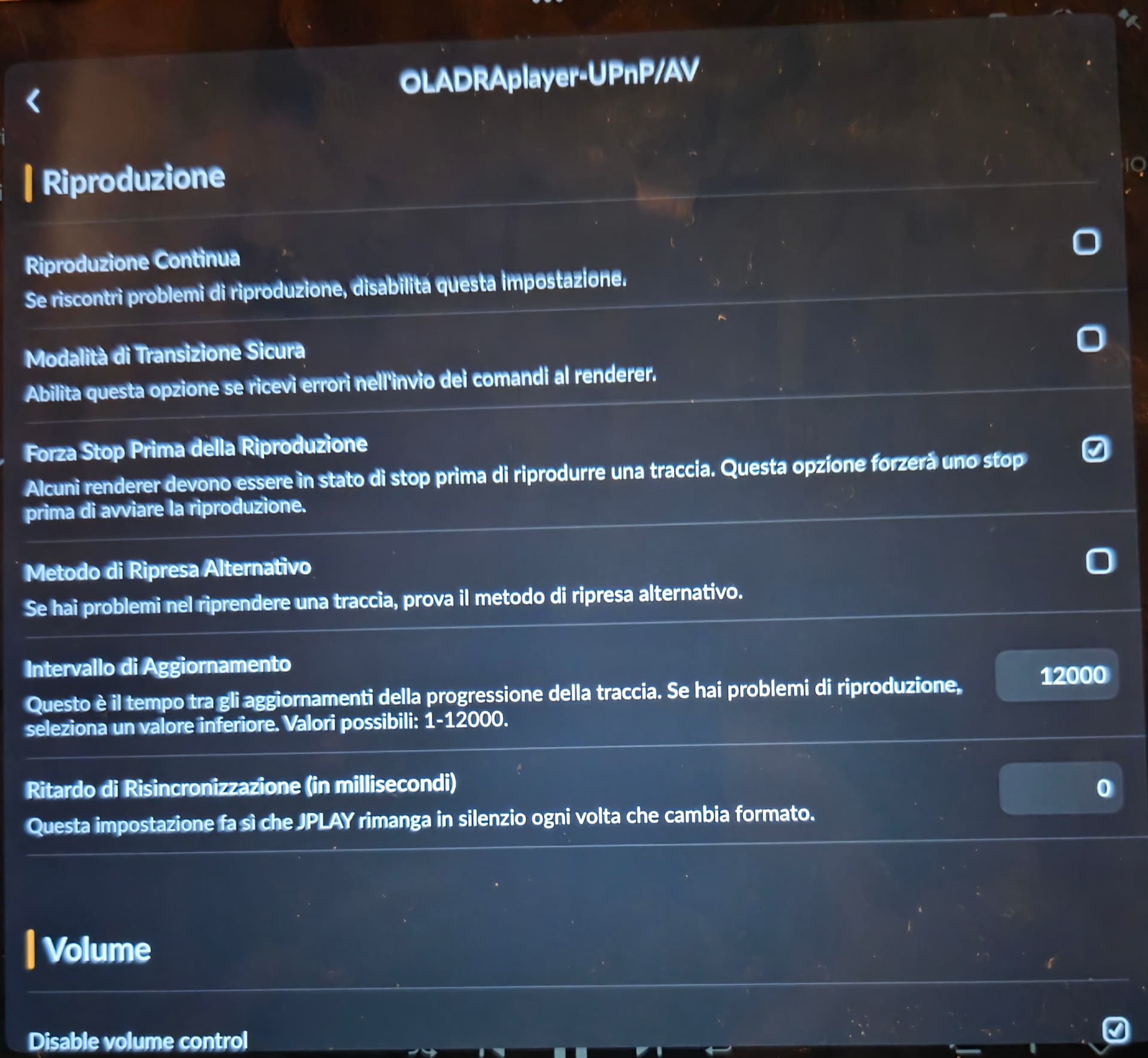
Maybe try to change a parameter in configuration, your player upnp , like my setting.

1 Like

How big was the improvement by adding the Tempus?

In theory, changing that value will reduce network traffic to update the application. I’m trying 20 now and we’ll see. No difference at the moment.

Nick

In my last test, I added the Origin power supply and ViaBlue cable back into the chain. And together with the repeater, it didn’t sound half bad. Honestly, I’m no longer making any pronouncements about the sound of various switches. Our networks are just too different. The Network Acoustics Tempus and Muon Pro Filter in combination sound very neutral to me. See my diagram, though; I’ve expanded it with their products. The soundstage widens. There’s a lot more space between the instruments. Listening becomes more pleasant. Sibilance is reduced. The music doesn’t necessarily become more analog, warmer, or brighter, but it’s not darker either. The music remains neutral. I didn’t like the sound of the ENO filter at all. The Origin power supply adds even more openness to the music. I listen at over 1 Gbps. I don’t use 100 MB/s. I don’t know myself what the perfect network should/must look like. The way I set it up using a repeater, i.e., a Wi-Fi bridge, does provide galvanic isolation, but Wi-Fi also has its negative effects on the internal electronics. I can stream without interference using my Wi-Fi bridge, but I don’t. It works perfectly, though. I can even hear a difference when I switch between tablet and smartphone, due to the controls. I’ve already reported on this in detail. So, what had a greater impact on the sound: a Tempus Switch or the difference in control between a smartphone, tablet, or laptop? The network is awful and has a significant impact on the sound quality of our servers/streamers. Maybe I need to buy a €6000 Wi-Fi router to reduce the noise. I don’t know. In my case, with the network setup to the server, the repeater’s Wi-Fi is likely the only source of increased noise. I have hardly any devices connected that could contribute to additional noise. I don’t stream, so I only need the Wi-Fi bridge for control. Why do I hear a clear difference when controlling with a tablet or smartphone? Feel free to test my experience yourself. I’m just testing the access point now, and after that I’m done.

Hi again @Christian, just to be sure I understand. You don’t use any streaming services at all, right? You’re only playing music stored on the K50’s internal SSD?
And the Fritz!Box (repeater), Tempus, Muon Pro, Origin PSU, and NA cables are all connected in the chain to the K50, to allow either your phone, tablet, or laptop just acting as a controller. And you have the internet coming in the K50, but no NAS on the network?

That’s exactly right. Everything understood correctly. No Nas. Only local.

The Origin power supply powers the repeater. The Tempus even received the MK2 power supply this summer. From the repeater, the signal to the K50 is extremely clean and virtually noise-free. Or at least almost noise-free. No streaming. The K50 is thus connected to my network, and I only use the network for control via smartphone, laptop, or tablet. It’s set up exactly as shown in my diagram. Two Muon Pro filters are connected in series, one before and one after the Tempus. ViaBlue Ethernet is used at the input of the first Muon Pro filter. The rest is NA Ethernet cable—the best from their series. This short network cleanup cost over €10,000. And such small differences are immediately audible, like the difference between different controllers (smartphone, laptop, tablet).

Food for thought: Maybe what you’re hearing isn’t the controller itself, but how each controller changes the RF and Wi-Fi noise around your access point. Even with Tempus, Muon Pro, and the Origin PSU removing almost all upstream Ethernet noise, Wi-Fi still adds a different kind of noise—airborne RF. So what you are hearing is almost certainly the RF/noise environment upstream interacting with the repeater.

Every controller has its own RF signature. Even in airplane mode, the radios, processors, and background activity behave differently. That extra RF load affects the access point electrically—its internal circuitry timing, switching, grounding, and power supply can shift depending on which device is talking to it.

Because the AP is directly connected to your audio network, some of that electrical behaviour still reaches the server or streamer. The audio data isn’t affected, but the electrical environment is, and with a sensitive setup, that can be audible.

This is why a dedicated low-noise audio access point can outperform the Fritz!Box bridge. It’s not about Wi-Fi quality or speed—it’s about minimizing the electrical noise the AP injects into the audio network. Connecting one directly to the Tempus or a switch (not the repeater) removes the Fritz!Box’s RF influence and should, in theory, make all controllers sound the same.

To really test this, you could use a small router dedicated only to your audio devices (no internet for now). Connect the Tempus, K50, and one control device at a time to it, keeping everything else the same. Play the same track with each controller.

If the sound differences disappear, it confirms that the variations were caused by the Wi-Fi and RF environment around the access point, not the controllers themselves. This is a simple way to test in a clean setup without touching your high-end downstream gear.

1 Like

Everything you described/answered is correct. However, please also remember that I removed the repeater from the system and established a direct connection from the Wi-Fi router, and I had the same differing listening experiences (tablet, smartphone…).

One thing I keep wondering, Christian: since you only play local files and don’t stream from the internet, your network really only has two jobs — provide an IP address to the K50, and let a control device connect to it. For that, you don’t actually need the Fritz!Box at all. You don’t even need the internet.

All the high-end network gear you’ve tried is normally used to improve the streaming path. But in your case there is no streaming path — only the control connection. That’s why isolating the upstream part with a small, quiet audio-only router or access point would likely give you far more benefit than adding more filters or switches.

If the Fritz!Box and the repeater are removed, and your audio network is self-contained, the K50 no longer sees any noise from your home network or internet. That’s the simplest way to stop these controller differences from appearing.

Two other jobs:

  1. retrieve updates when available
  2. retrieve information from backend services to populate the Ui as needed

Absolutely. Such a result would be perfectly sufficient for me. An access point or a low-noise audio router. I only need the network as a controller. I’ve asked everyone and their brother about this, but no one has given me an answer. Retailers, manufacturers, etc. Aurender once sent me a USB WLAN access point. But I can say that it sounded just as bad as a connected network. If someone shows me the product and recommends using it—we’re talking about an access point or audio router without a network connection/internet—then I’ll take it immediately. Updates just require some rewiring. The Tempus can remain as a switch to minimize residual noise. We can then test whether it works with or without the Tempus. There are many people in this forum who listen almost exclusively locally from their internal SSD, yet they are all connected to their home network/internet. I just need to find and configure noise-free routers or access points. Are there any recommendations? Even Antipodes recommends playing from the internal SSD, so why doesn’t Antipodes offer any advice for those who play their music locally from the SSD via Squeeze/Squeeze without an internet connection?

I’ve been following the a number of audio forums for years. Yours is the very first and only report I’ve see of the music sounding different depending on which device is used to control it. I suspect that if it was really about network noise, many others would have been reporting it too. I could be wrong but I suspect that there’s another culprit here. I have no clue though what it could be.

The real head scratcher is that you report this with Squeeze/Squeeze. The web browser isn’t controlling anything per se. It just sends commands and receives data back. As I believe I mentioned before, HTTP is stateless at the application layer. That means each request is independent and the server does not remember previous requests. The browser when we use Squeeze has as much control as we do when ask Siri or Alexa to play music. It plays until we tell it to stop. It’s not under control until another command is sent. Now imagine someone telling you that the music Siri is playing sounds different depending on who told Siri to play the track. If each person spoke exactly the same command and the same track gets played each time, then who issues the command shouldn’t matter. Squeeze controlled by a browser should be issuing the exact same play command regardless of browser and device so like I said, this is a real head scratcher.

Perhaps most people, myself included, have never noticed that different controllers sound different. And I’ve taken note of what you described and replied to earlier. What I mean to say is that I haven’t ignored it. I don’t understand it either. My network isn’t that different from other networks. We all have Wi-Fi radiation in our homes; otherwise, we wouldn’t be able to control things. I almost completely disabled my Wi-Fi during the tests. The differences were still there.

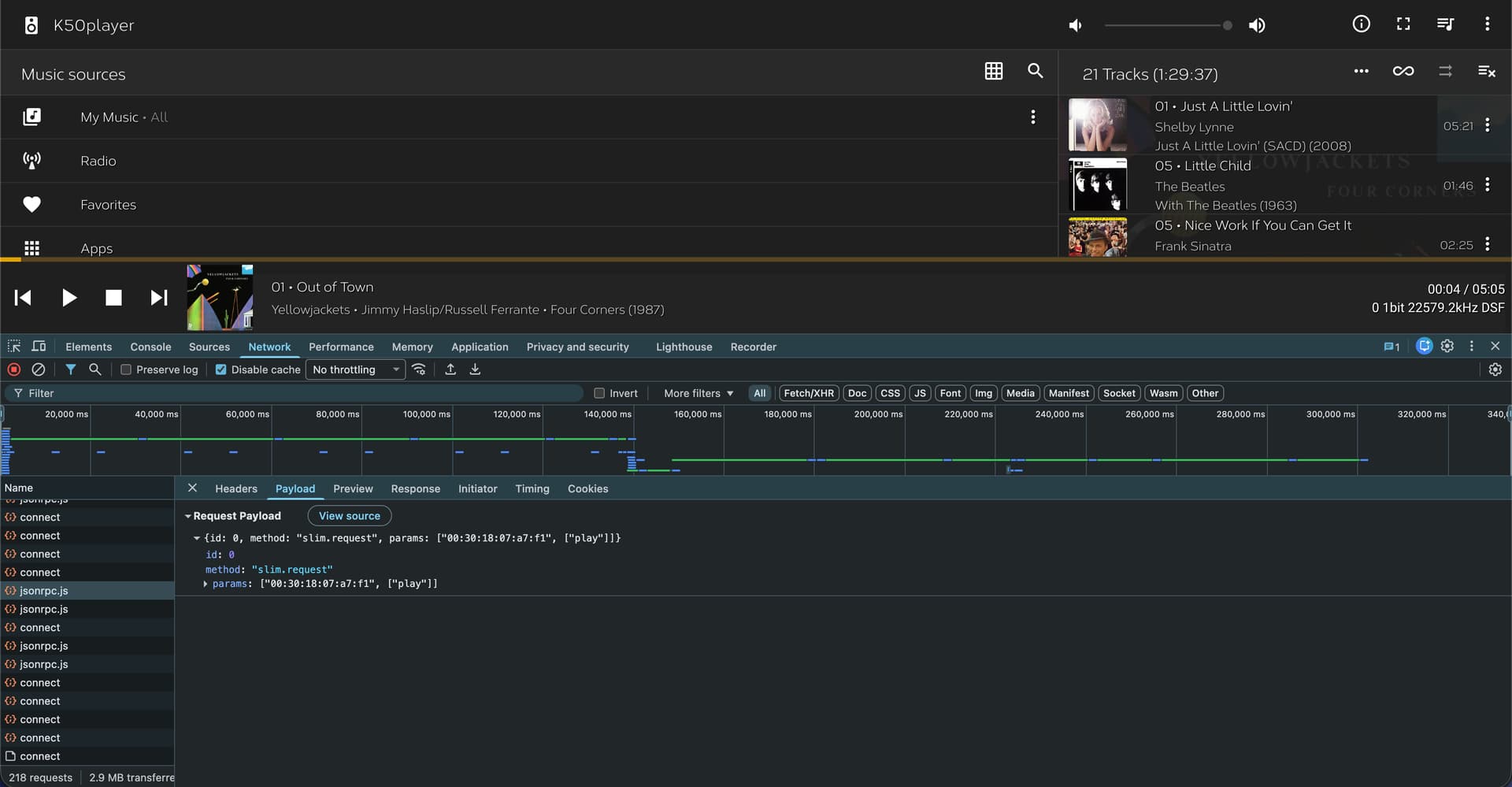
I realize that the screenshot that follows is a lot to take in, but what is shown is Chrome with the Developer Tools displayed along the bottom. This allows one to view exactly what calls the browser is making.

I’ve highlighted the call that was made when I pushed the play button. You can see that it sent the payload that included the word “play”.

This page sets a timer that has the browser running javascript commands that continually poll the server. It does this to get the playback progress.

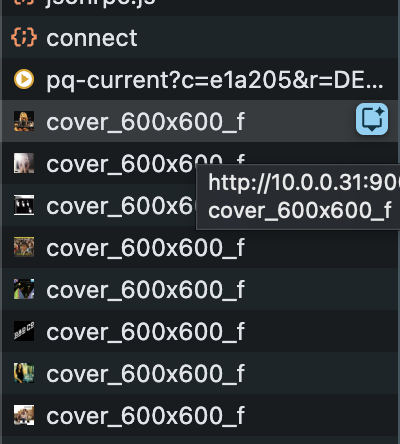
When the next song is the queue is reached, Squeeze has to update the queue. You can see in the following that it spit out and handful of album covers.

Thus what we see is that the browser is sends distinct commands to Squeeze either on a timer or after one interacts with the UI.

It seems to me that the only thing that might potentially be impacting sound quality is if the Squeeze settings aren’t exactly the same from browser to browser. I think it best to clear the browser cache before evaluating the differences so each instance of Squeeze will have the default settings.

1 Like

Yes, I can test it. Thanks for that. But also keep in mind that I experienced the same differences in sound quality with Minimserver/MPD/Bubble UPnP. I can no longer test Roon; I cancelled my subscription.

I’ve only been commenting on Squeeze because how the browser interface interacts with the server is simple to visualize.

I don’t know enough about UPnP apps to comment.