I just started a trial for Tidal. I am using Squeeze player on my K50 and have enabled the Tidal plugin on the server setting. But I cannot find the setting page for Tidal to login, unlike for Qobuz and Spotify.
Hi, I use Squeeze on an older Antipodes machine, but interface should be the same. If you put Tidal in the plug-in section you should see Tidal in the APPS area of Squeeze. There is where you sign into your Tidal account. Usually when you click it, it opens up Tidal on your computer to link Tidal with Squeeze. I think you have to make sure to have the Tidal app also downloaded on your computer(For linking process) Hope this helps.
I am only using iPenguin on iPad for the Squeeze player. From the Squeeze server accessed through my K50 server Dashboard, even after adding the Tidal plugin 2.0, there is no setting link to login, unlike for Qobuz and Spotify plugin. As such the Tidal app does not appear on the Squeeze player.
Hello. I have exactly the same problem. Version 2.0 is installed. No settings option. I can’t find a way to enter my login details. I can’t find a Tidal symbol. How did you get further? Do we need support intervention?
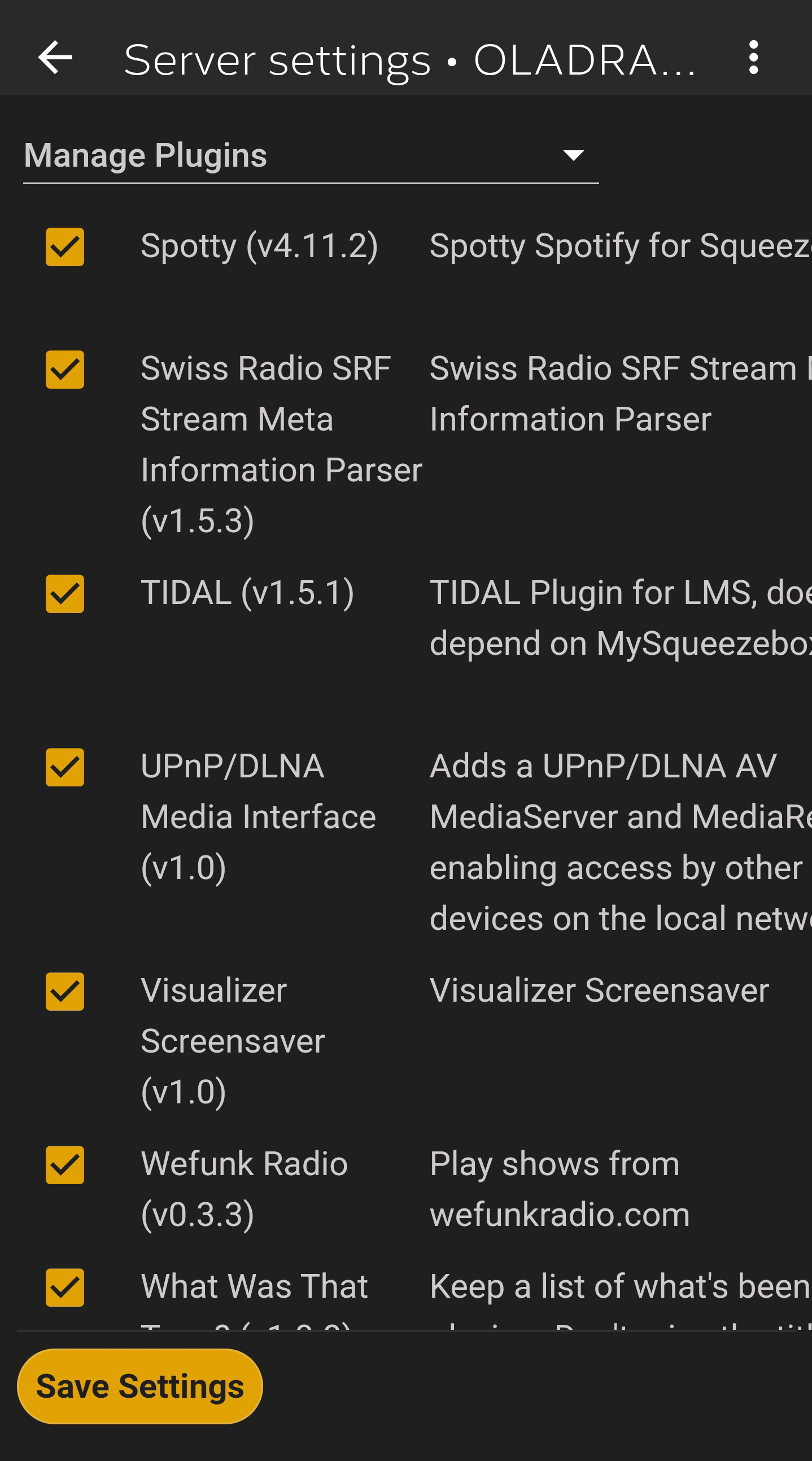
Go to manage Plugins,
ensure you have Tidal Plugin for LMS does not depend on my squeezebox.com
Once enabled follow the login process.
Uninstall old plugin, install new plugin, by unticking and ticking and SAVE.
It’s a good idea to restart Squeeze server at this point also.
Good morning, still doesn’t work. No Tidal symbol. No prompt to enter my data (login details). See screenshots. It’s been like this the whole time. I unchecked Tidal V.2.0 and re-enabled it and restarted. Nothing has changed.
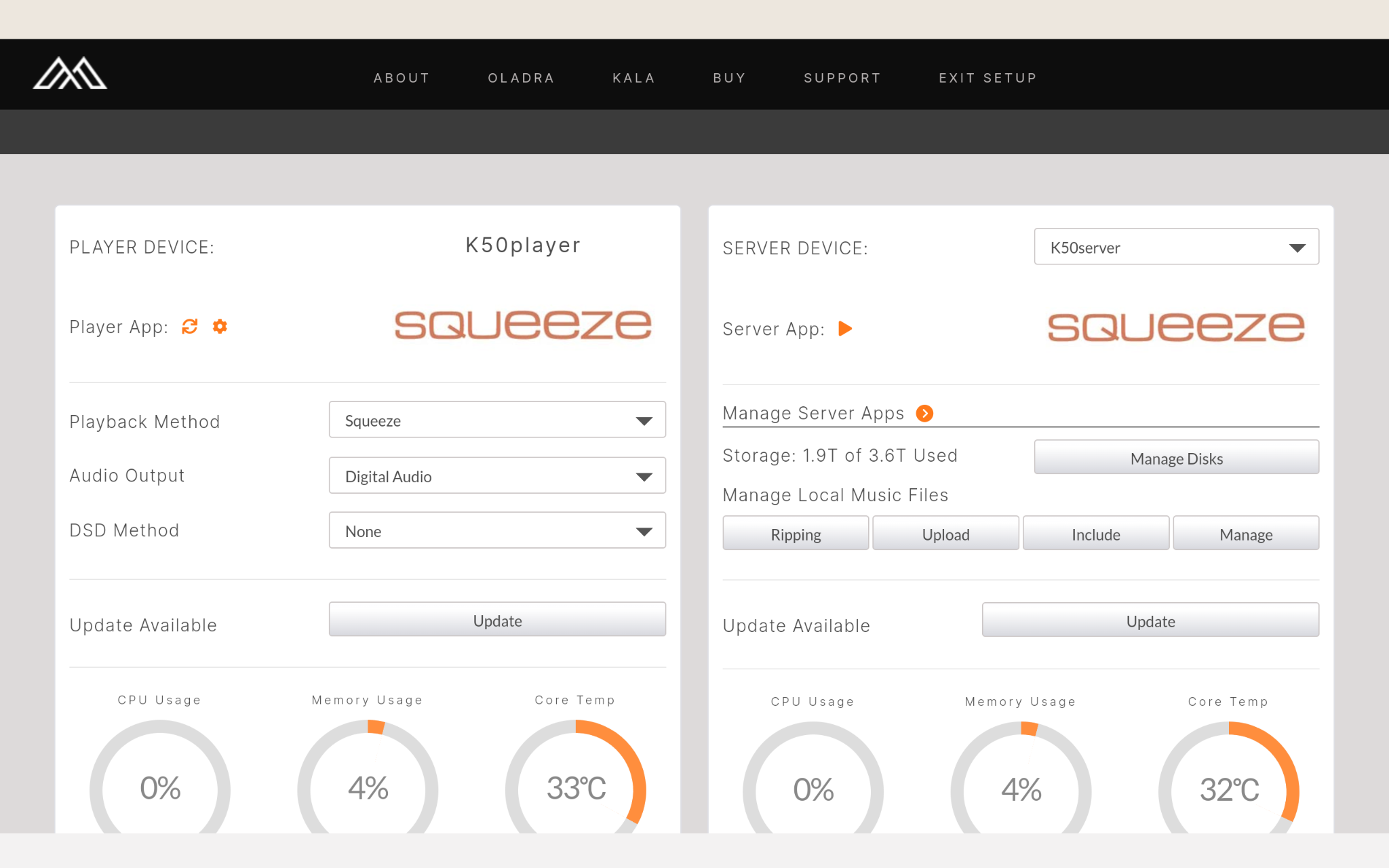
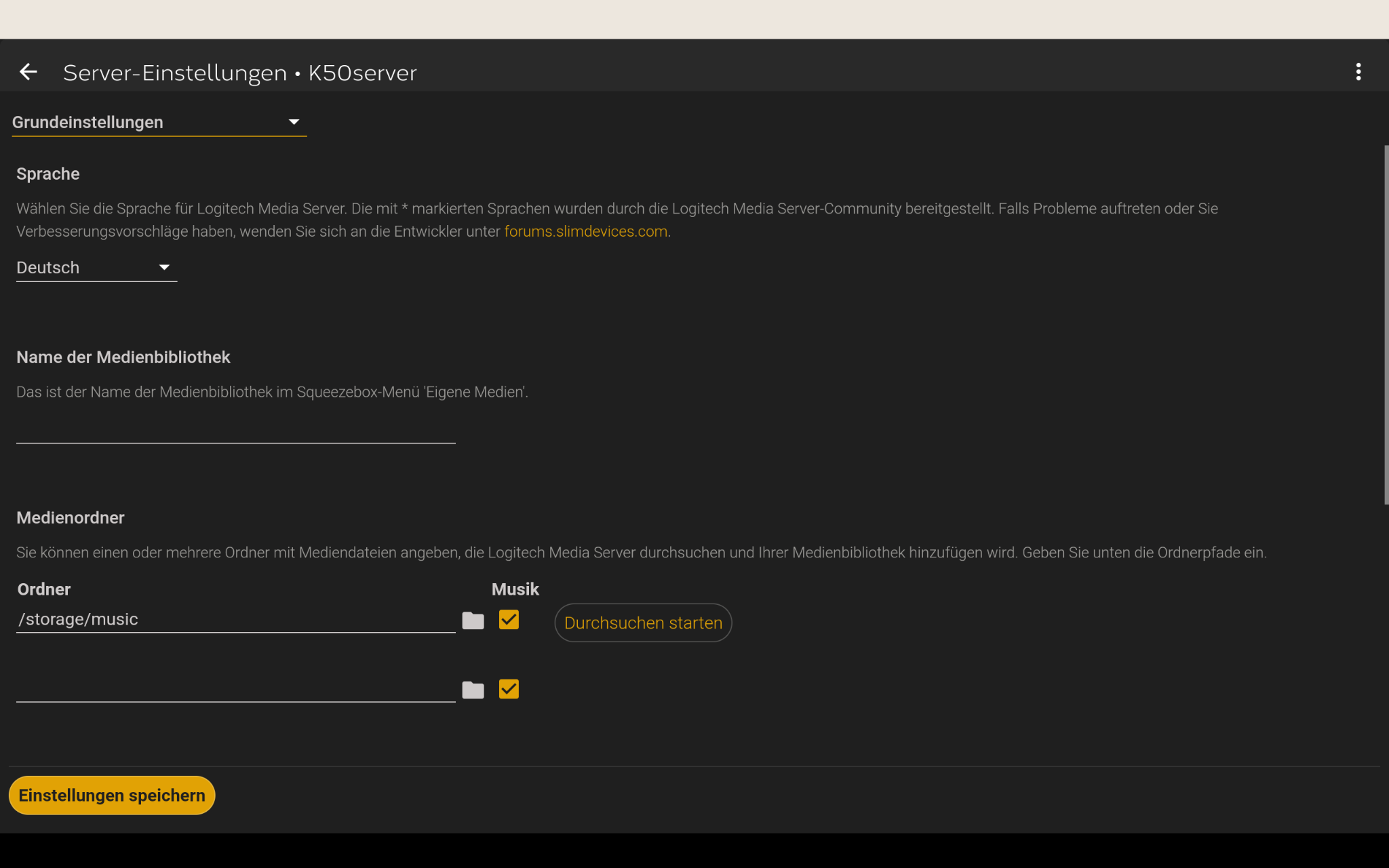
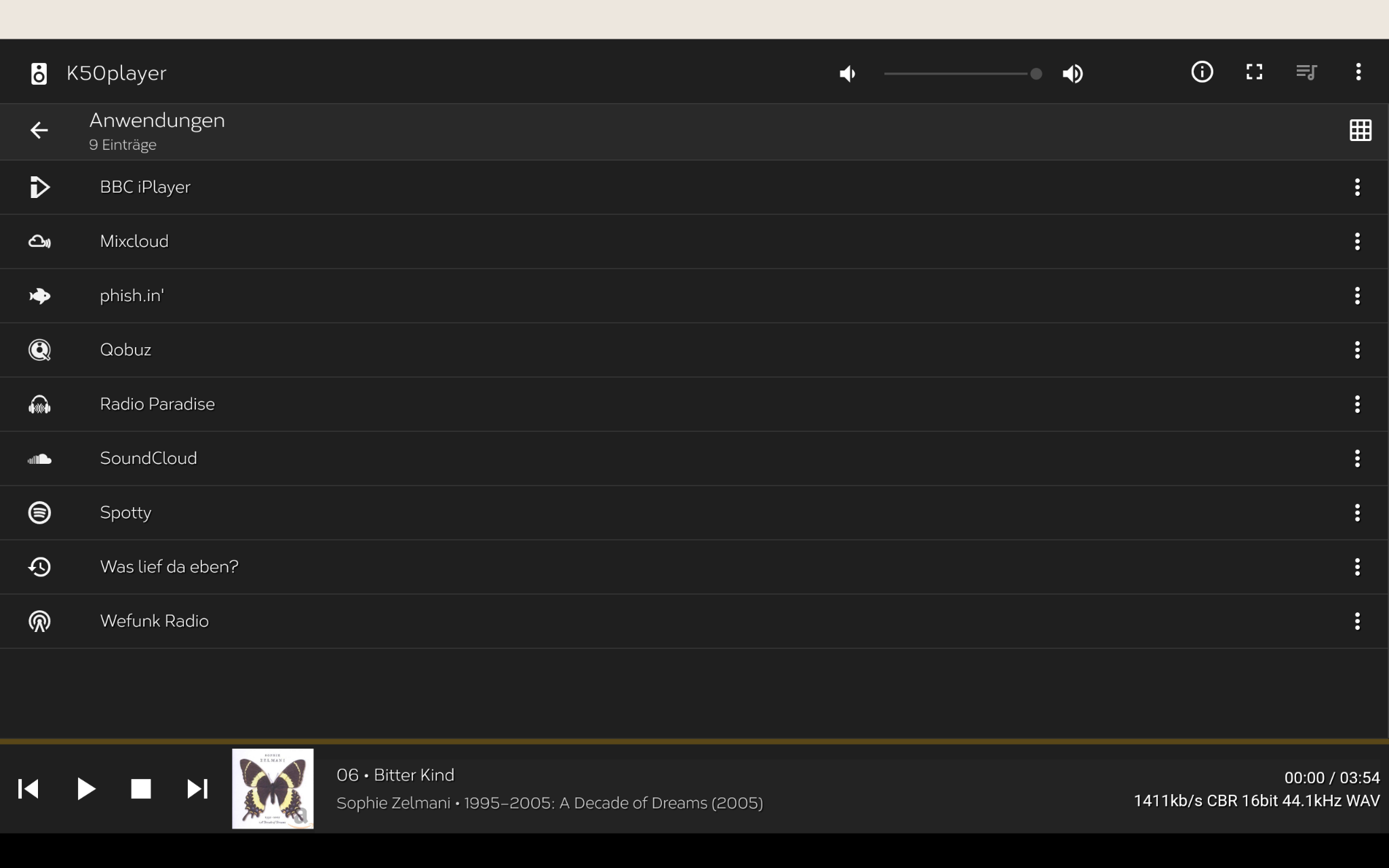
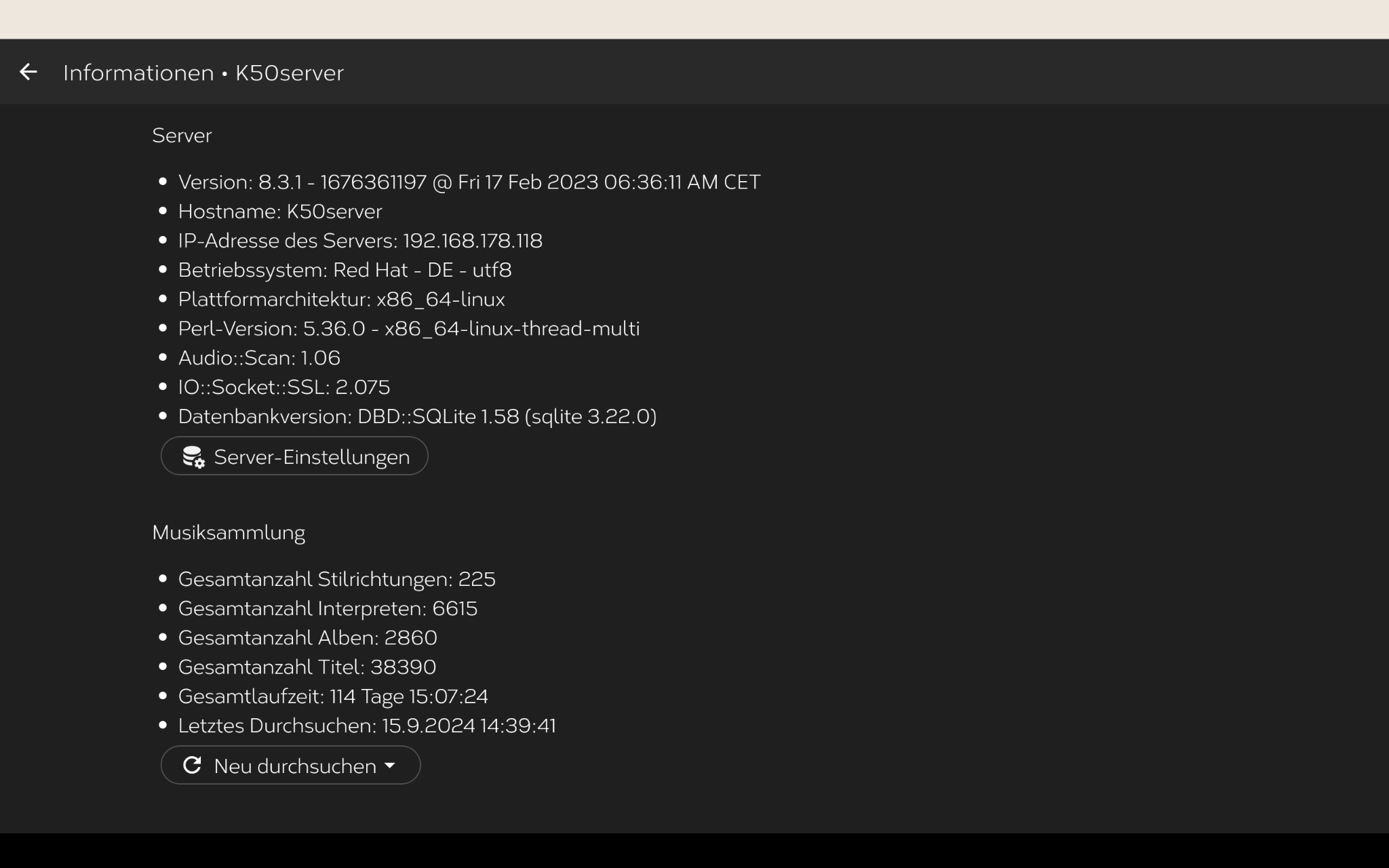
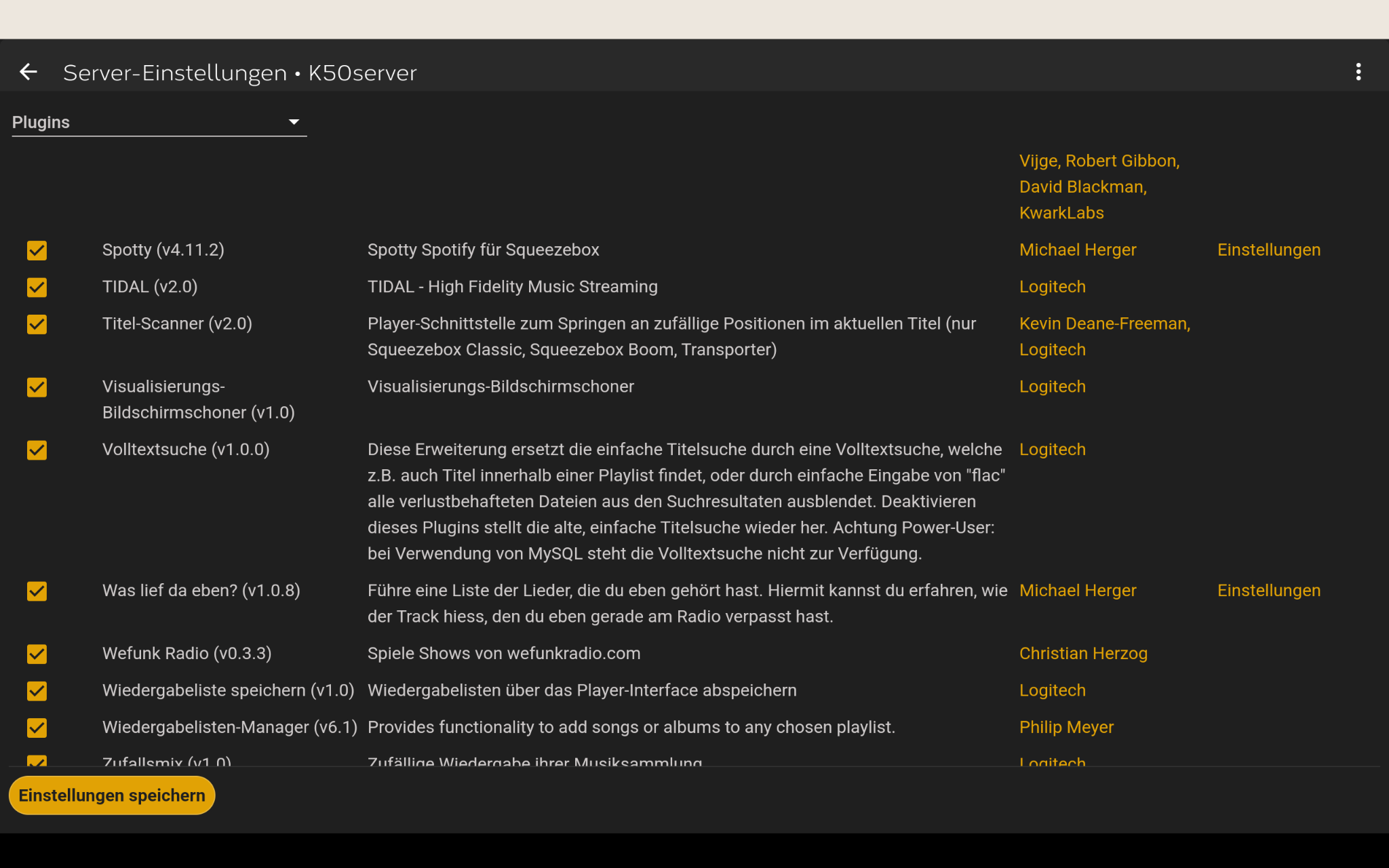
That is because that is the incorrect plugin for Tidal.
As indicated in my post, you need the plugin that does not require mysqueezebox.com.
Uninstall Tidal v2.0
Scroll down to the plugins that are not installed, install the Tidal Plugin as indicated v1.5.1
1 Like
Ahh OK. I misunderstood. It works now. Version 1.5.2 is current. Thanks.
Now that it’s set up, the Squeeze Player only plays CD Flac files, even though I set it to Hires in the settings. Any ideas? Squeeze or Tidal problem? 
Squeeze issue with the API.
OK, that means I can do nothing for now. At most I can switch back to Roon. What can I do with Jplay? There are no settings options in the dashboard like Jplay Server/Jplay Player, for example. I use the K50 via AES/EBU output to the DAC. Most people use Jplay via Ethernet, if I understand correctly? Or via cross-routing of various player apps? I don’t quite understand that yet?
JPLAY is used with MinimServer and MPD, for full functionality.
Hi
I’m frustrating to find a way to re connect with Tidal.
it was working.
i did a only the rescan software and now I cannot connect more to Tidal see bel

I have the same issue, the Tidal login is not working.
When I click the hyperlink below nothing happens.
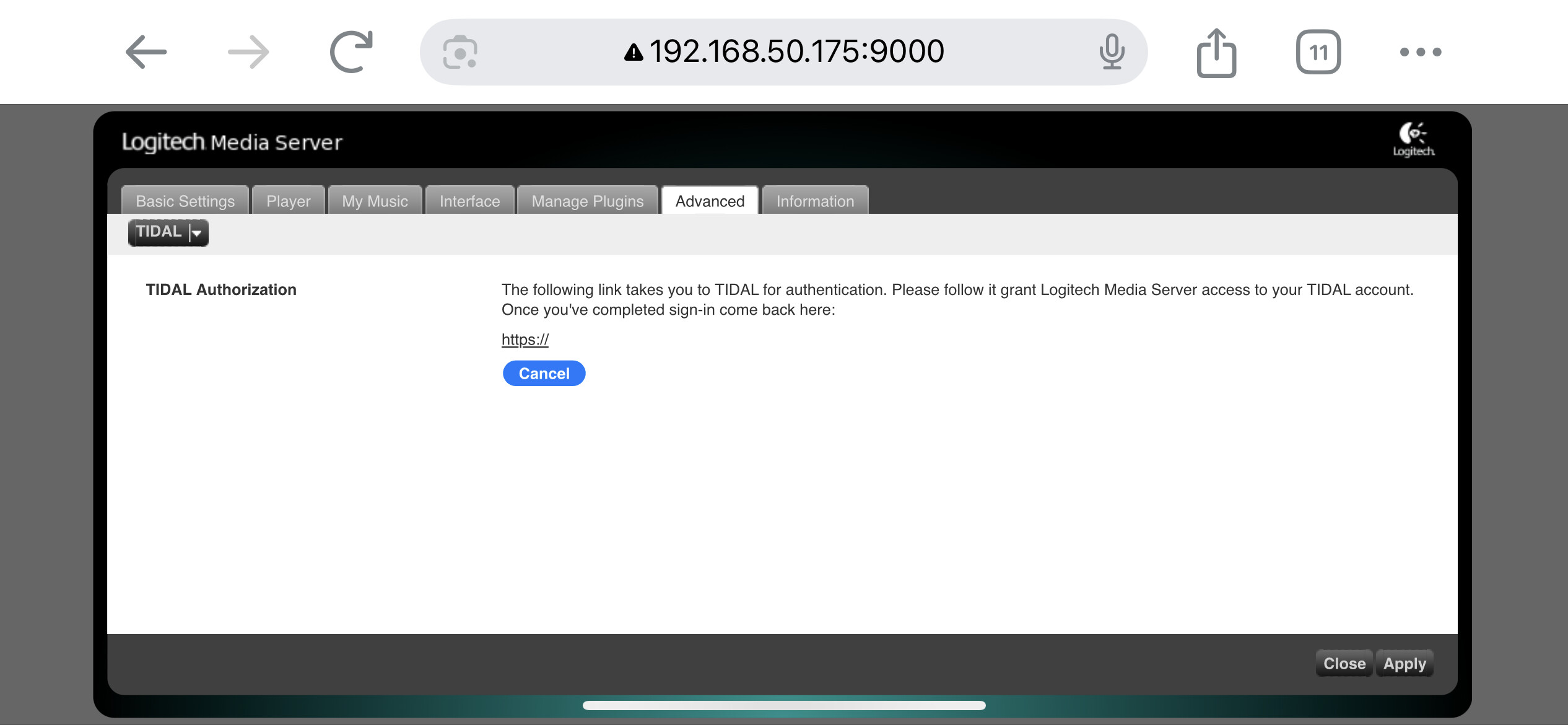
Something is very off with the screenshot you posted. I would normally suggest you enable the Tidal plug-in but I don’t use Tidal so not sure about this.

Nah that is just the old lms interface.
There is a known bug with Tidal authentication from squeeze that is registered on the lyrion forum today. There is a fix for it that is in version 1.7.1 of the tidal plugin that should appear in the system plugin updates. However the updated plugin has not appeared yet.
Here is the link to the bug report/fix: https://forums.lyrion.org/forum/user-forums/3rd-party-software/1791214-is-tidal-not-working-with-lms-today
So it is passed already more than week a no one from Antipodes take in consideration this issue. I bought a very expensive music streamer to play with Tidal. I’m really disappointed
The have been multiple issues with Tidal via Squeeze, AWS outage, API updates and new plugins.
We are aware of the issues, however Tidal and the plugins are not supplied by Antipodes.
We are working with LMS developers on getting Tidal back in Squeeze, unfortunately I cannot speed this process up.
I had an issue with Tidal, I had to book a support session to get it fixed. It was some type of bug. Everything is working great now. Only took Prince about 10mins to fix. Thanks Antipodes for keeping us all sorted. 
1 Like